Turn PBX Activity Into Customer Invoices with Vodia Billing
Published on:
September 15, 2026
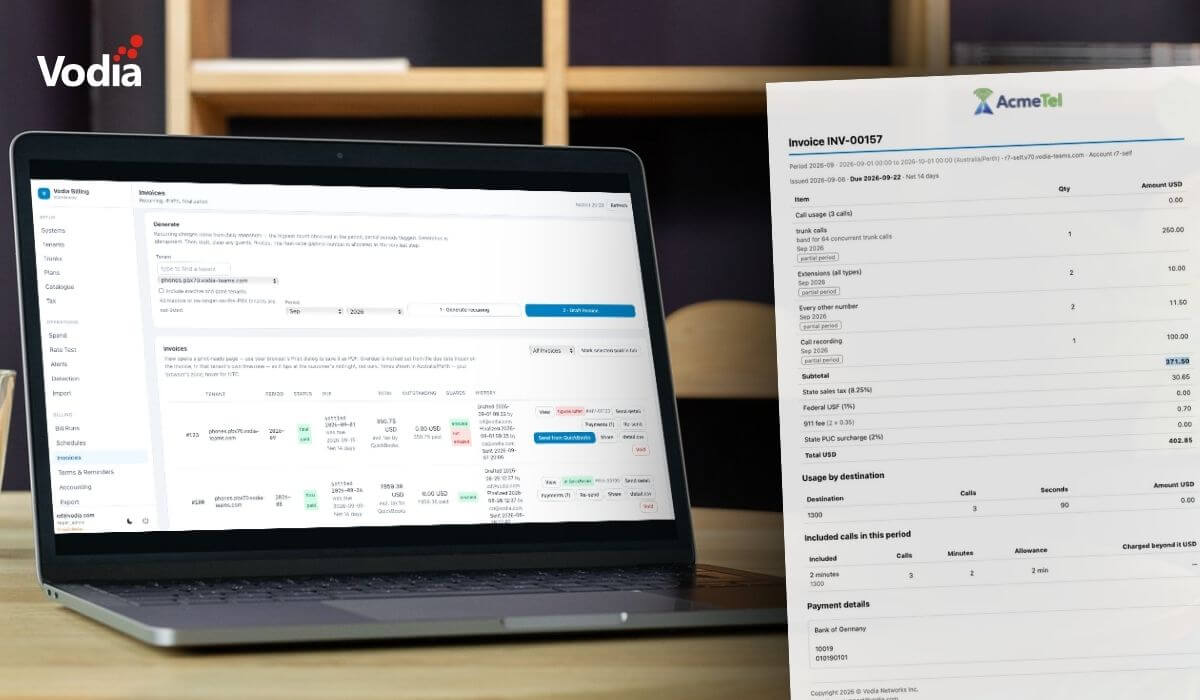
Vodia Billing turns PBX activity into customer invoices by bringing call rating, recurring charges, taxes, invoice generation and payment tracking into one dedicated platform. Built for Vodia PBX fleets, it can process CDRs, count recurring PBX items, produce branded invoices, connect with Xero and QuickBooks Online, monitor overdue payments and flag potential fraud. It also gives MSPs clearer visibility into margins, helping them understand not only what customers owe, but what their services are actually costing to deliver.
If you’re an MSP, your billing needs to answer three important questions: 1. What does this cost? 2. Who owes payment? 3. Has it been paid?
Designed as standalone billing middleware for Vodia PBX fleets, Vodia Billing helps MSPs answer these questions quickly, correctly, and seamlessly.
How Vodia Billing works
The platform ingests CDRs, rates calls against rate sheets, and handles recurring charges based on PBX entities such as extensions, auto attendants, call queues, maximum concurrent trunk calls and more, as well as one-off hardware charges and taxes.
Once this information has been processed, Vodia Billing issues and delivers customer invoices directly. When connected to Xero or QuickBooks Online, it can also hand billing information off to your accounting workflow and synchronize payment information back into Vodia Billing.
Sitting beside the PBX, it turns raw call records into accounting entries, fraud alerts, invoices and margin reporting, giving MSPs a clearer view of both what customers owe and what services are actually costing to deliver.
Vodia Billing and Vodia Analytics
Vodia Billing is a companion product to Vodia Analytics, which transforms PBX call data into clear, actionable insights with real-time dashboards, detailed call records, and AI-powered analysis.
The two products share the same architecture and interface conventions, but Vodia Billing runs on a separate server and a separate database.
Welcome to Version 1.0.0-beta of Vodia Billing
Let’s take a look at what Vodia Billing does:
Ingests CDRs from one or more Vodia PBX systems over the PBX's own webcdr webhook; recovers missed days from archive CSV files.
Rates outbound calls against your rate sheets, with per-destination charge types, connect fees, billing increments, minimum durations, and included-minute allowances.
Counts recurring items from daily PBX snapshots: extensions, hunt groups, auto attendants, queues, DIDs, and concurrent-call peaks.
Computes tax in per-bucket components, or hands tax computation to QuickBooks Online when connected.
Produces invoices with gapless fleet-wide numbering, frozen detail, twelve languages, per-tenant branding, and revocable share links.
Delivers by email with a call-detail CSV attached, and by CSV over SFTP, HTTP, or email to a payment system.
Hands off to accounting throughXero or QuickBooks Online, with customer mapping, payment sync back, and per-invoice push state.
Chases payment with configurable reminder schedules and overdue alerts.
Watches for fraud with 20 detectors, optional automatic extension disable on the PBX, and per-tenant threshold overrides.
Reports margin per tenant per month, split by charge basis, with loss-makers flagged (partner-only, never visible to customers).
As Version 1.0.0 is currently in beta, we recommend running Vodia Billing alongside your existing billing system for one to two full billing cycles before using it as the billing system of record for live customers.
Quick Start
To see how Vodia Billing works, Quick Start is the best place to begin. It takes you from a bare server to your first draft invoice, with a worked example at each step.
Since we hung out our shingle, we’ve been devoted to the channel, and Vodia Billing is another step in our journey to provide MSPs with everything they need to find and retain customers and grow their brands.
We also recently announced the new Vodia Partner Program and new Vodia Partner Portal, which give service providers, MSPs, system integrators, and technology partners a clearer way to grow their Vodia business.
At Vodia, we’ve always believed we’re only as successful as our partners are. To find out more about what we can do for your MSP, please contact us at sales@vodia.com or call +1 (617) 861-3490.
Following a critical PHP security advisory affecting installations worldwide, we temporarily restricted public access to some of our backend services while carrying out necessary upgrades. Access has now been restored, and the affected services are operating normally. The Vodia PBX itself does not use PHP and was not directly affected. We explain what happened, the changes to legacy licensing and TLS support, and why customers running older PBX versions should contact us for upgrade guidance.
Submitting a support ticket with the right information helps our team understand your issue and reduces follow-up questions. This step-by-step guide walks you through the Vodia Help Center, from describing the problem and attaching diagnostic files to setting the business impact and providing your PBX details. You’ll also learn which call details and timestamps to include, alongside practical tips to keep troubleshooting focused and help our support team investigate your issue more efficiently.
Switching phone systems doesn’t have to mean rebuilding everything from scratch. The Vodia PBX migration tool imports key configuration data from backups, including extensions, ring groups, queues, desk phones, and basic auto-attendant settings. Built into the Vodia Admin Portal, it guides administrators through the import process and reduces repetitive manual work, whether you’re moving 10 extensions or 1,000. Explore what transfers, what needs manual setup, and how the built-in tool reduces repetitive work when moving to Vodia.
.svg)



.png)





