Vodia Analytics: Call Analytics and AI insights for the Vodia PBX
Published on:
April 28, 2026
Vodia Analytics transforms PBX call data into clear, actionable insights with real-time dashboards, detailed call records, and AI-powered analysis. It gives teams full visibility into voice interactions, helping them understand conversations, track performance, and identify issues without relying on raw logs or manual review. With built-in transcription, summaries, and sentiment analysis, it becomes easier to spot trends, optimize operations, and improve overall communication performance.
While omnichannel communications offers numerous avenues for journeying across the 21st-century CX landscape, voice remains king of the road, preferred by 75 percent of consumers over email, SMS, and social media. In most systems, however, these calls often generate large volumes of data that remain difficult to access, analyze, or act upon.
Vodia Analytics addresses this directly by turning PBX call data into clear, actionable insights, helping organizations understand conversations, identify performance issues, and act faster across their communication environments.
From call data to real insight
Call analytics makes it possible to examine call data and extract meaningful information about customer behavior, call outcomes, and operational performance. A complete call analytics platform looks beyond surface metrics and analyzes every facet of a call, including:
call duration
caller information
frequency
outcomes
sentiment analysis
This helps you identify patterns, understand performance, and improve how calls are handled across your system.
Vodia Call Analytics
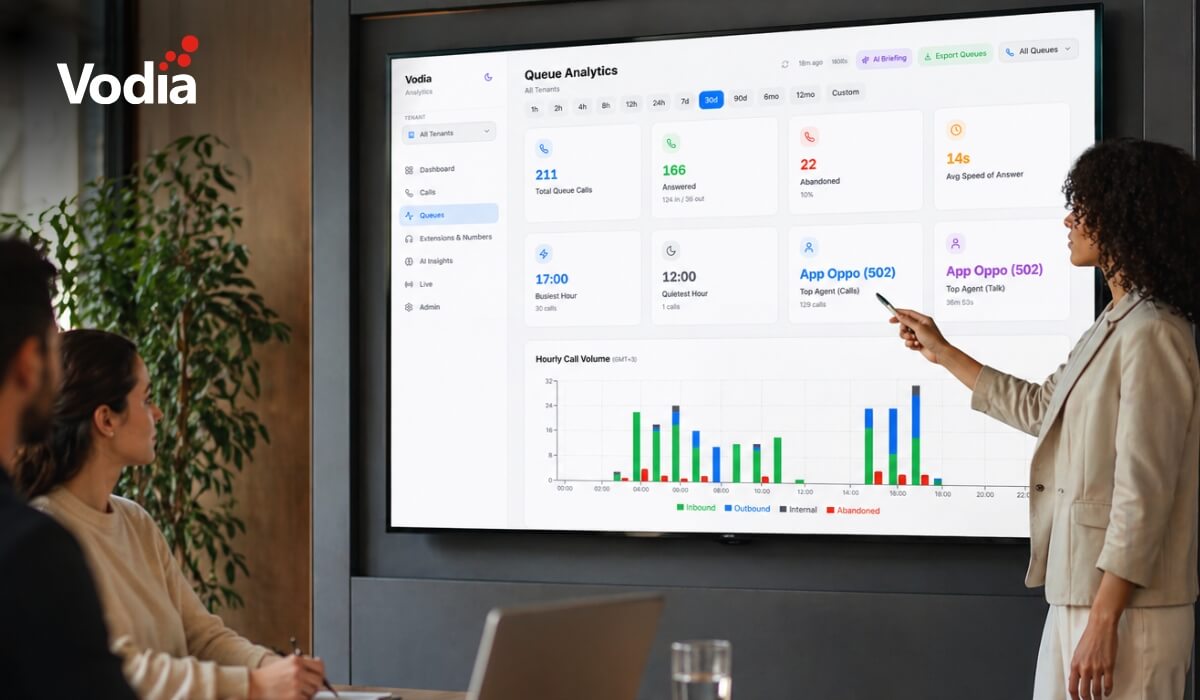
Vodia Call Analytics provides real-time visibility into voice interactions across your PBX and eliminates the need to review recordings or navigate raw call logs.
The platform provides:
live dashboards with color-coded KPIs
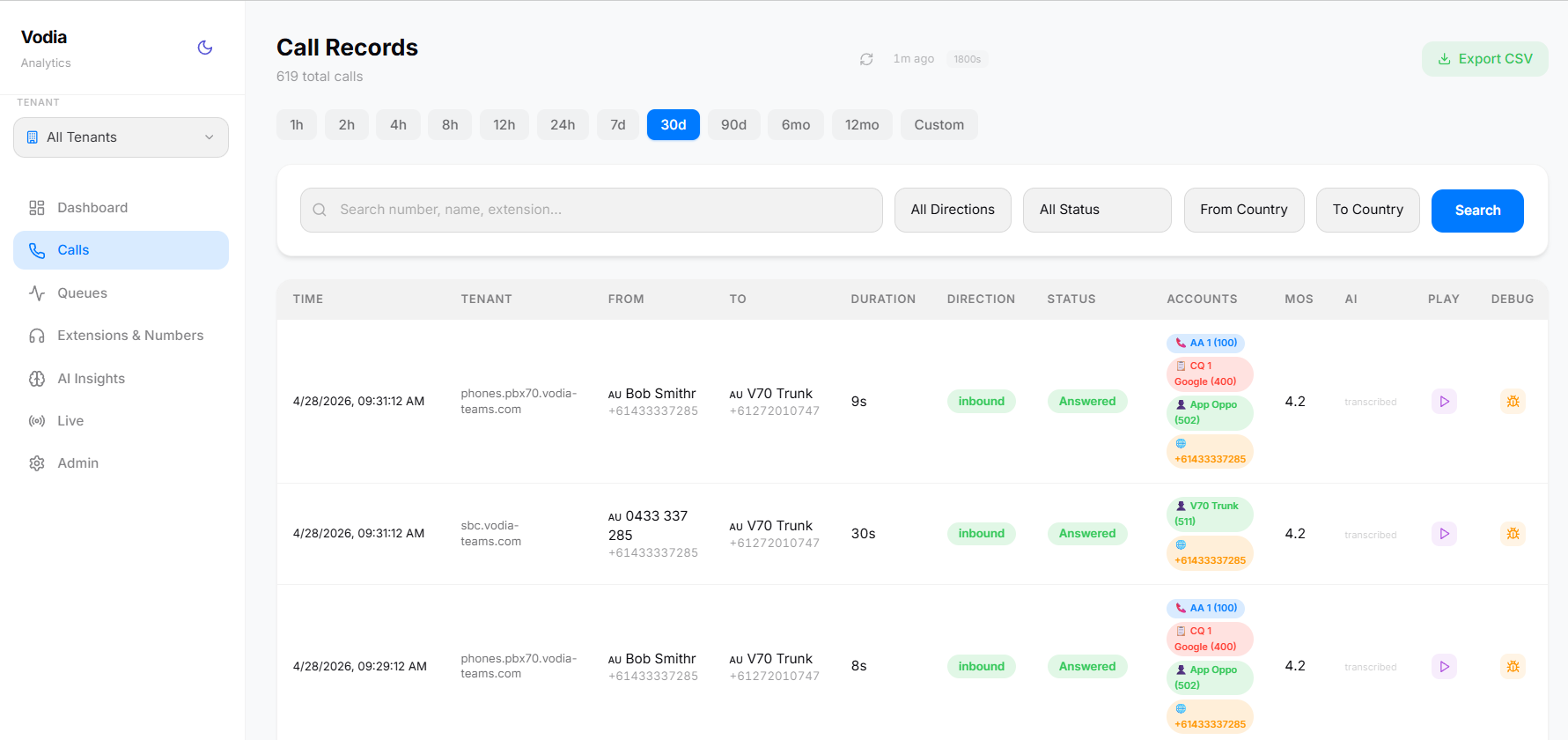
detailed call records with smart filtering and exportable data
call metrics including answer rates, call volume, peak hours, and top performers
MOS-based call quality monitoring
By combining call data, system activity, and AI analysis, teams can identify issues faster and take action.
A self-hosted platform
As a self-hosted platform, Vodia Analytics runs alongside your PBX, turning call data into actionable dashboards, searchable call records, AI-powered transcriptions, and queue performance metrics.
Instead of relying on external analytics tools that sit outside your communication system, it provides a dedicated analytics layer directly connected to your PBX, so you can:
review call activity in one place
troubleshoot issues with full call timelines
monitor queues, extensions, and agent performance
analyze multiple PBX systems from a single platform
This removes the gap between call data and decision-making, making it easier to understand how your system operates as a whole.
Vodia Analytics combines call data, AI analysis, and system metrics to give a complete view of conversations and performance across your PBX.
With built-in AI capabilities, organizations can:
transcribe calls using local Whisper processing
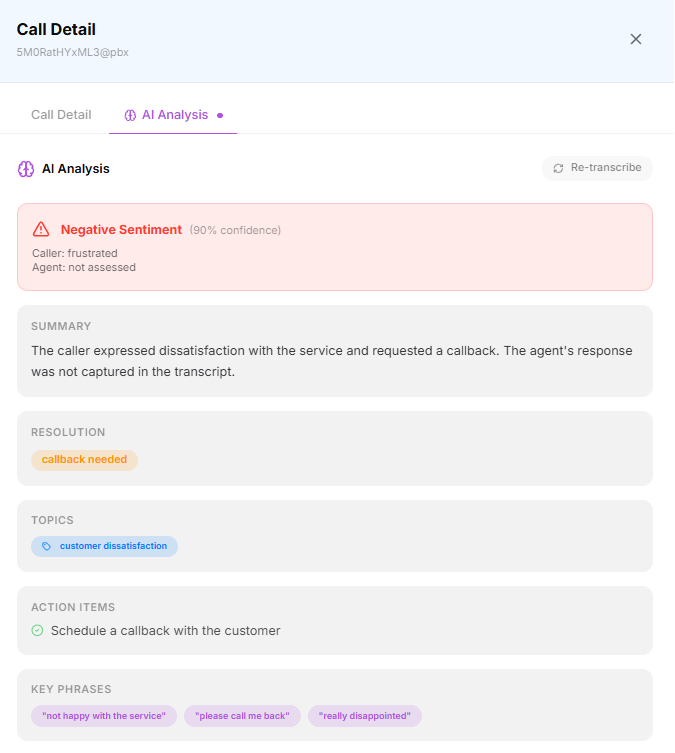
generate summaries and detect sentiment with GPT-4o-mini
identify recurring topics and resolution patterns
extract actionable insights without having to manually review call recordings
This reduces the need to manually review calls and makes it easier to identify issues across large volumes of conversations.
Your call data stays under your control
The platform is fully self-hosted, running on your own infrastructure. Call data, recordings, and transcription remain within your environment, with no external processing or third-party access.
Audio processing and transcription can be handled locally, ensuring sensitive call recordings don’t leave your system.
AI analysis can be configured based on your environment, allowing organizations to balance advanced insights with their own data handling and privacy requirements.
This gives organizations control over how their communication data is processed, while still benefiting from analytics and AI capabilities.
What You Get
Vodia Analytics includes a comprehensive set of capabilities designed to provide visibility, analysis, and control across your PBX environment:
AI Analysis: GPT-4o-mini summaries, sentiment, topics, resolution detection, and action items
AI Transcription: local Whisper transcription with stereo caller/agent separation
Call Search: filters across every CDR field, with one-click playback and debug views
Dashboard: KPIs, hourly/daily trends, call quality, agent performance at a glance
Extension Performance: call volume, talk time, and MOS quality per extension
Multi-Tenant: one instance serves multiple PBX systems, fully isolated
Queue Analytics: per-queue breakdowns, abandon rates, agent performance within queues
Role-Based Access: super admin, admin, viewer, and queue manager roles
Shareable Links: share call details and transcripts with anyone via one-time secure links
Please note: Vodia Analytics requires a Vodia PBX (v69+) configured to send webcdrs.
Documentation
Explore the Vodia Analytics documentation to learn how to set up call analytics, connect your PBX, and start analyzing call data.
Version 70 of the Vodia PBX
On March 19, 2026, we officially released V70 of our cloud phone system, introducing a redesigned admin interface, multi-core scalability, AI voice agents, custom dashboards, and new integrations.
Vodia Analytics works alongside V70 to extend visibility across the system, combining operational data, call activity, and AI insight into a single, unified view.
Vodia is heading to CVx EXPO26, November 17–18 in Glendale, Arizona. Visit Booth 2009 to meet the Vodia team, learn more about our business communications platform, Partner Program, white-label capabilities and the latest V70 developments, and discuss how Vodia can support your customers. The event brings together MSPs, VARs, technology advisors, service providers and other channel professionals, making it a great opportunity to connect directly with the team, ask questions and explore how Vodia can support your business.
Following a critical PHP security advisory affecting installations worldwide, we temporarily restricted public access to some of our backend services while carrying out necessary upgrades. Access has now been restored, and the affected services are operating normally. The Vodia PBX itself does not use PHP and was not directly affected. We explain what happened, the changes to legacy licensing and TLS support, and why customers running older PBX versions should contact us for upgrade guidance.
Submitting a support ticket with the right information helps our team understand your issue and reduces follow-up questions. This step-by-step guide walks you through the Vodia Help Center, from describing the problem and attaching diagnostic files to setting the business impact and providing your PBX details. You’ll also learn which call details and timestamps to include, alongside practical tips to keep troubleshooting focused and help our support team investigate your issue more efficiently.
.svg)