Enterprise Call Analytics: Real-Time Insights Built Right Into Your PBX
Published on:
October 10, 2025
Vodia Enterprise Call Analytics gives businesses comprehensive, real-time insights into every aspect of their call operations. Built natively into the PBX, it delivers live, color-coded dashboards, detailed call records, smart filtering, and exportable data. Enterprises can track key metrics such as answer rates, call volume, peak hours, talk times, and top performers, while also monitoring call quality through integrated MOS scoring. By turning call data into actionable intelligence, Vodia helps organizations optimize team productivity, improve customer experience, manage costs effectively, streamline workflows efficiently, and make smarter, data-driven decisions that contribute directly to revenue, operational performance, and long-term ROI.
What can call analytics do for your enterprise? Call analytics is a tool that enables your company to collect, measure, report and, of course, analyze all of your call activity and information. It’s a tool that improves CX and sales by giving you both granular and widescreen views of how your organization manages its calls.
Turn Your Call Data into a Profit Center
Call analytics generate valuable information, particularly when it comes to sales. Which calls came from quality leads? What was the specific purpose of each of these calls? Did these leads become customers? True call analytics put all of this information at your fingertips.
But what can you do with this comprehensive data? Call analytics make it so you can examine your conversion rates and find out what works and what doesn’t. This, in turn, helps reduce and repurpose campaign budgets, manage cost per lead (CPL) and even target callers with advertisements and offers based on their conversations with your team members. Call analytics is where the digital age meets the information age. Deployed effectively, it can contribute to your bottom line.
Vodia for Enterprise Call Analytics
Vodia has been an advocate for call analytics since its inception, and we are committed to giving our users contact center quality, easy-to-use wallboards. They have become a core component of our feature-rich, industry-standard phone system.
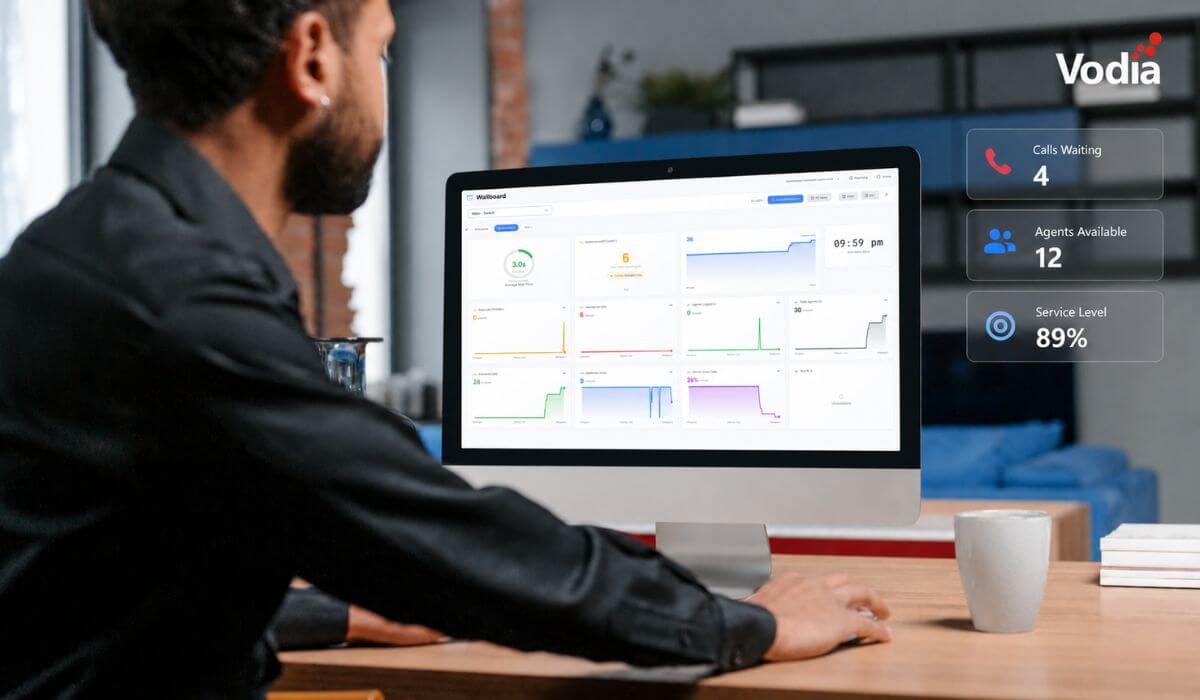
Vodia Enterprise Call Analytics is a comprehensive PBX call analytics tool that provides real-time insights into your phone system's performance, call quality, and team productivity. Built natively into the PBX, it delivers live, color-coded wallboards with all of the information your enterprise needs to leverage call information for cost efficiency, improved productivity, and ROI. With integrated voice quality scoring (MOS) and exportable, actionable data, Vodia gives your enterprise a complete, real-time picture of call operations, without relying on external tools.
Key Features
Vodia Enterprise Call Analytics gives you a treasure trove of key insights, call quality analysis, and detailed call records.
Key Insights
Answer Rates: How many calls your team successfully handles
Call Volume: Total calls with inbound/outbound breakdown
Peak Hours: Track the system’s busiest periods
Talk Times: Longest and shortest conversations
Top Performers: Which extensions handle the most calls
Call Quality Analysis
Call Routing: See how calls flow through your system (queues, ring groups, voicemail)
Extension Pickup: Track which extensions answer calls and how quickly
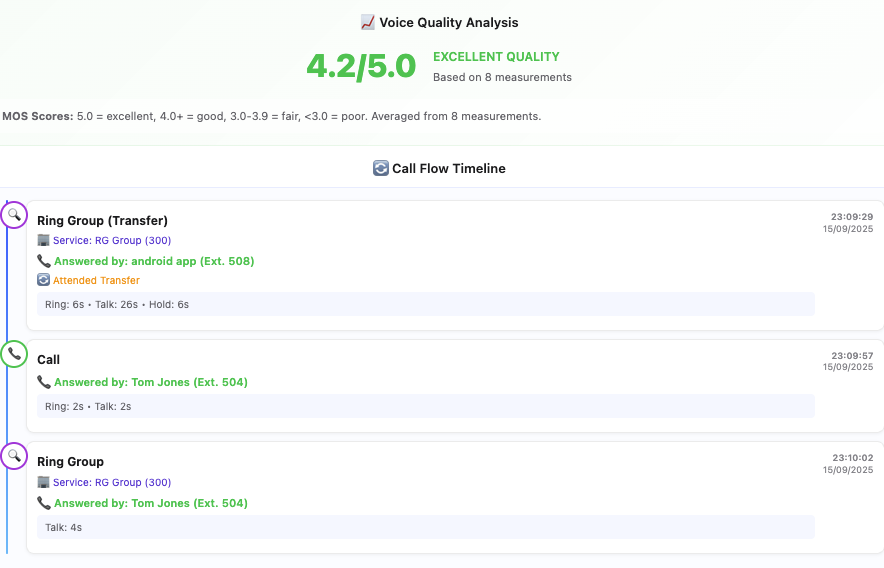
Voice Quality Scores: Automatic analysis of call clarity (MOS scores)
Detailed Call Records
Call Flow: Visual timeline of the progress of each call through the system
Call Recordings: Listen to recordings in the dashboard
Complete Call History: Timestamps, duration, and participants
Transfer Tracking: Identification of attended and blind transfers
Vodia Enterprise Call Analytics offers advanced features such as detailed call analysis, smart filtering, and export options, giving businesses powerful insights into PBX call reporting. Learn more in our Enterprise Call Analytics documentation.
Ready to Take Your Call Analytics to the Next Level?
At Vodia, our commitment to innovation drives us to continuously improve our cloud PBX. We provide businesses with a powerful, integrated platform for internal and external communication, collaboration, and growth. What sets us apart is our focus on listening to customers and partners, turning feedback into meaningful enhancements, making them part of our journey. Experience how Vodia can help your enterprise optimize call operations and elevate productivity - email us at sales@vodia.com, or call +1 (617) 861-3490 (United States), +61 2 7201 0788 (APAC), or +49 30 555 78749 (Europe).
Switching phone systems doesn’t have to mean rebuilding everything from scratch. The Vodia PBX migration tool imports key configuration data from backups, including extensions, ring groups, queues, desk phones, and basic auto-attendant settings. Built into the Vodia Admin Portal, it guides administrators through the import process and reduces repetitive manual work, whether you’re moving 10 extensions or 1,000. Explore what transfers, what needs manual setup, and how the built-in tool reduces repetitive work when moving to Vodia.
Apps have changed how businesses communicate and work, but every digital experience still depends on physical hardware. From smartphones, desk phones, and headsets to networking equipment and cloud servers, reliable infrastructure supports productivity, security, and call quality. Here’s why hardware still matters in an app-first world and what businesses should consider when choosing dependable devices and secure connectivity for the office, hybrid teams, and remote work, while preparing for evolving technology.
Vodia Wallboards gives supervisors, contact centers, service providers, and operations teams a self-hosted, real-time view of Vodia call queue activity. Monitor waiting, ringing, and active calls; agent availability; service levels; abandoned calls; and queue trends across one or more Vodia PBX systems. Start with a ready-made layout or build a custom wallboard using queue filters, live widgets, AI summaries, and alerts. Display the information your teams need in a browser, on an operations dashboard, or on a dedicated TV screen.
.svg)