Outbound AI Voice Agents in Vodia Version 70 enable automated voice outreach powered by OpenAI’s Realtime API. Organizations can schedule campaigns, trigger AI-driven calls through simple API requests, and manage conversations that confirm appointments, update customers, or collect feedback. With dedicated voice agent extensions, dynamic variables, custom tools, and webhook integration, the system supports scalable, intelligent call workflows while maintaining consistent customer communication.
AI continues to redefine CX, and the newest version of the Vodia PBX, V70, currently available as a preview version, will feature fully-automated outbound AI Voice Agents for automated customer outreach, powered by OpenAI's Realtime API. Previous versions of our best-in-class phone system featured voice agents for inbound calls, and we’re thrilled to add this new feature to our software. Now, with V70, the same AI functionality can handle both inbound and outbound calls, creating consistent conversational experiences across the entire customer journey.
Outbound AI Voice Agents
Outbound AI Voice Agents integrate automated outbound calls with voice AI functionality into workflows: users can choose an agent, select a phone number, and schedule calls to contacts. Outbound AI uses workflow triggers to arrange and implement calls with flexibility, so the same agent can handle both inbound and outbound calls. These AI agents make consistent outreach to contacts possible without overwhelming them, so organizations can improve CX while reducing costs and enhancing agent productivity.
Outbound AI Voice Agents in Vodia V70
The integration of the OpenAI Outbound Agent into V70 of the Vodia phone system enables automated voice calling powered by the OpenAI Realtime API. This integration enables the creation of AI-powered Voice Agents for the management of appointment reminders, payment notifications, order status updates, and other customer communications with natural, conversational interactions. Each AI voice agent operates through its own dedicated voice agent extension inside the PBX, allowing simple management and call routing.
Key Features
Some of the key features of the integration of the OpenAI Outbound Agent with V70 of the Vodia PBX include:
Campaign management: Web-based interface for the creation, viewing, and deletion of campaigns with dedicated voice agents
Custom tools and functions: Users can define actions the AI can trigger (confirm, reschedule, dispute, callback)
Dynamic variables: Use {customer_name}, {appointment_date}, and custom fields in greetings and instructions
Multiple outbound AI agents: Currently limited to 10 per tenant
Webhook integration: Real-time notifications when the AI triggers tools during conversations
How It Works
Once a campaign is created with a greeting, AI instructions, fields, and tools, a trigger initiates a call using customer data via REST API. The AI agent conducts a natural conversation with the customer, following the defined instructions. When the AI calls a tool (i.e., “appointment_confirmed”), the webhook receives the data, the AI concludes the conversation, and the call ends.
What Makes It Powerful
Simple API integration: Trigger outbound AI calls with a single REST API call to the PBX without complex setup or lengthy integrations, just straightforward API requests that initiate natural, conversational AI calls
Intelligent agent system:
create up to 10 independent AI Voice Agents per tenant
each agent gets its own dedicated voice agent extension (900-999 range)
unique greetings, instructions, and behaviors for each agent
dynamic variables like {customer_name} and {appointment_date} for personalized conversations
Custom tools and real-time webhooks: Define specific actions the AI can trigger during conversations - this includes appointment confirmation, rescheduling, payment disputes, and callback requests. When the AI calls a tool, the webhook receives instant notifications with call context and customer data for seamless integration with your CRM, scheduling, or payment systems
Natural conversation flow: AI conducts genuinely conversational interactions, handles edge cases gracefully, and can escalate to human agents when necessary, creating intelligent dialogue that adapts to customer responses
Benefits
Some of the key benefits of deploying outbound AI Voice Agents include automated, streamlined workflows for greater efficiency, enhanced real-time decision execution with AI-supported insights, increased customer trust with security measures for protecting data, and scalable flexibility provided by intelligent, multi-agent systems:
Consistency: Each customer experiences the same professional, brand-aligned communication
Cost reduction: Lower operational costs while maintaining high-quality customer experiences
Efficiency: Automate routine outreach, freeing employees for complex interactions requiring human expertise
Real-time Intelligence: AI-powered insights during conversations enable dynamic decision execution
Scalability: Handle hundreds of calls simultaneously without adding headcount
Use cases:
appointment confirmations/reminders
customer satisfaction surveys
lead qualification calls
order status updates
payment reminders (with dispute management)
Built for Enterprise
With secure data handling, multi-tenant architecture, and optional fallback numbers for connection issues, V70 has been designed for enterprise deployment. The integration only requires an OpenAI API key with Realtime API permissions. The PBX manages everything else.
We continue to build AI functionality into our industry-standard, feature-rich phone system, and we developed V70 with this top of mind. When it comes to the ongoing evolution of AI and the benefits and features it brings to business communications, we’ve got an ear to the ground at all times. What are you hoping a world-class cloud telephony system with robust AI capabilities can do for your business? Get in touch with us, sales@vodia.com, +1 (617) 861-3490, and let’s talk about it. We’re the best listeners in the telecommunications industry.
Switching phone systems doesn’t have to mean rebuilding everything from scratch. The Vodia PBX migration tool imports key configuration data from backups, including extensions, ring groups, queues, desk phones, and basic auto-attendant settings. Built into the Vodia Admin Portal, it guides administrators through the import process and reduces repetitive manual work, whether you’re moving 10 extensions or 1,000. Explore what transfers, what needs manual setup, and how the built-in tool reduces repetitive work when moving to Vodia.
Apps have changed how businesses communicate and work, but every digital experience still depends on physical hardware. From smartphones, desk phones, and headsets to networking equipment and cloud servers, reliable infrastructure supports productivity, security, and call quality. Here’s why hardware still matters in an app-first world and what businesses should consider when choosing dependable devices and secure connectivity for the office, hybrid teams, and remote work, while preparing for evolving technology.
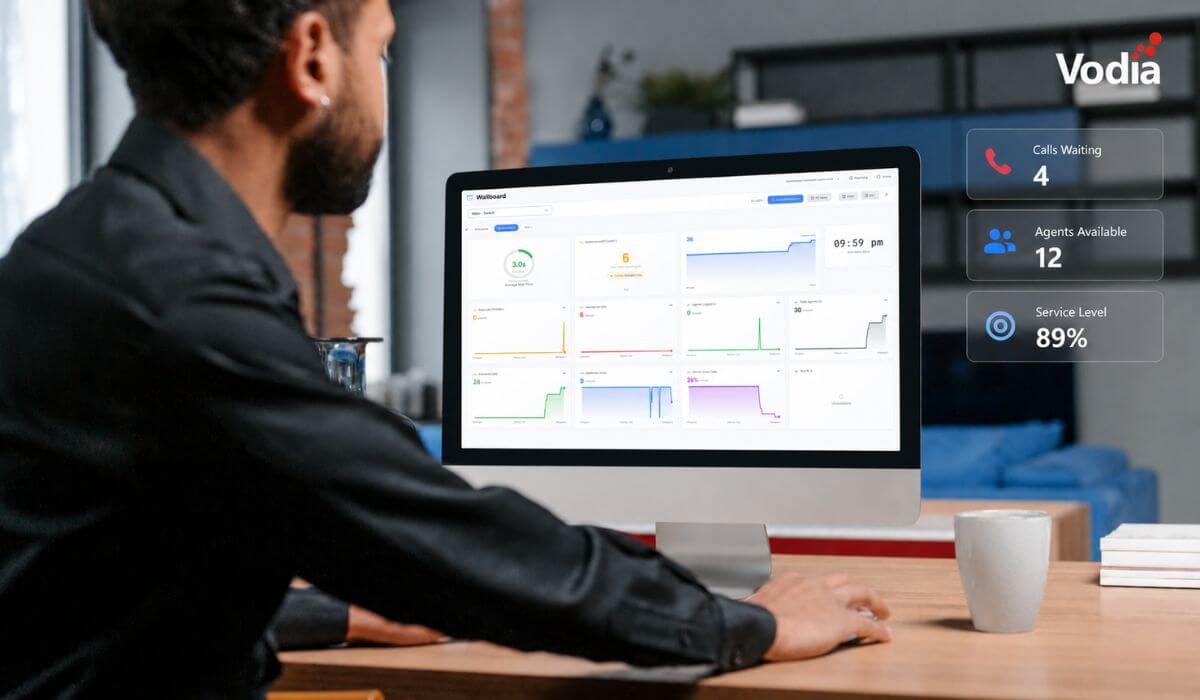
Vodia Wallboards gives supervisors, contact centers, service providers, and operations teams a self-hosted, real-time view of Vodia call queue activity. Monitor waiting, ringing, and active calls; agent availability; service levels; abandoned calls; and queue trends across one or more Vodia PBX systems. Start with a ready-made layout or build a custom wallboard using queue filters, live widgets, AI summaries, and alerts. Display the information your teams need in a browser, on an operations dashboard, or on a dedicated TV screen.
.svg)