Vodia PBX 70.7: Built for the way your customers work
Published on:
November 2, 2026
Vodia PBX 70.7 brings practical improvements to hotel operations, call quality troubleshooting, outbound dialing, and device provisioning. A new Hotel Front Desk template puts room status, wake-up calls, and guest services in one place, while additional call quality metrics help teams investigate audio issues. Updates to the User Web Portal, reporting schedules, hardware support, and integrations give MSPs, resellers, and service providers more tools to manage deployments and support their customers’ everyday communications.
Following the release of Vodia PBX 7.0 and V70.4, we are pleased to announce V 70.7, the newest version of the industry standard Vodia PBX. V70.7 includes practical improvements to key functionalities, including call troubleshooting, hotel operations, outbound dialing, and device provisioning, as well as an updated User Web Portal. V70.0 featured a revamped admin portal, and V70.7 builds on this foundation with improvements that make everyday tasks easier for our partners - and for and their customers.
For MSPs, resellers, and service providers, V70.7 provides more tools to investigate problems and manage deployments, as well as agile, robust support for hotels, contact centers, and enterprise customers. Here’s what’s new and why it matters to your business.
Investigate call quality issues
When a customer reports choppy audio, your team needs useful data: with V70.7, RTCP round-trip time is now measured and written to the CDR alongside jitter and packet loss; the call log graph displays local round-trip time as “Loc RTT (ms)”, giving your team more information to investigate network conditions and call quality problems. Because the PBX controls the call, this also works with TLS/SRTP.
Backend bugs and improvements
Faster recovery on SIP/TLS: When a TLS connection drops, the PBX restarts the connection after a few seconds, rather than waiting for the registration to expire.
Cleaner call setup: SDP updates are no longer forwarded before a call connects, which circumvents problems when the unconnected side can’t process changes to codecs or security parameters.
SRTCP checksum fix: Corrected checksum handling when the E bit is set.
AI call stability: A JavaScript context fix addresses potential problems when systems are handling multiple AI calls.
Voicemail email delivery: We fixed an audio-conversion issue that could stall processing and block emails with voicemail attachments.
For Vodia partners, these changes provide better troubleshooting information and address specific connection, call-handling, and voicemail delivery issues.
A front desk screen built for hotels
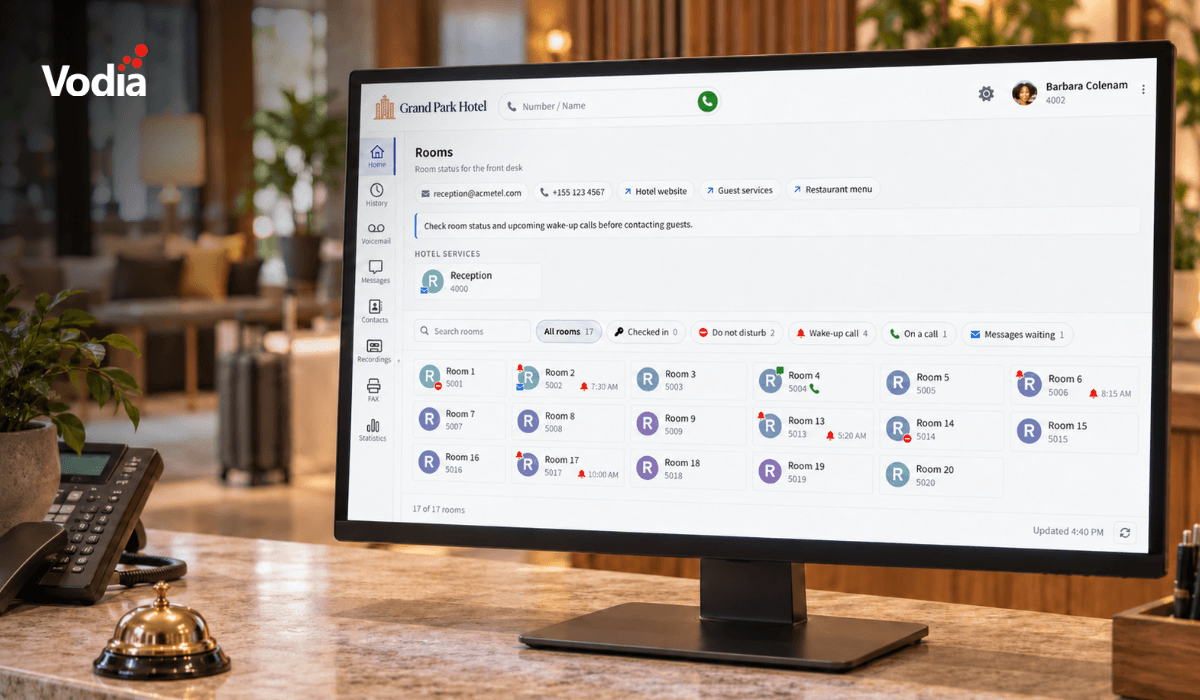
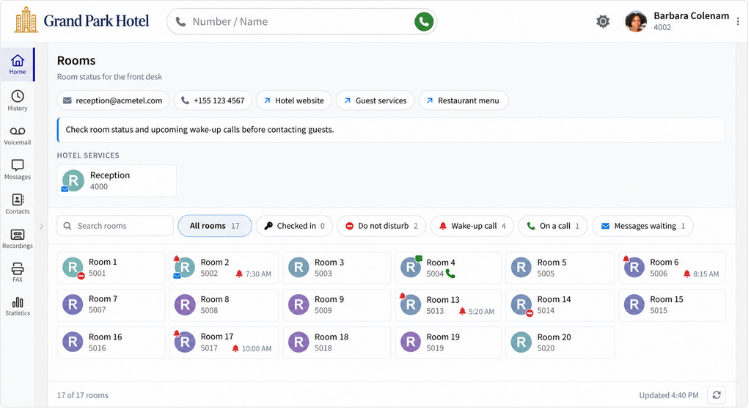
The new Hotel Front Desk home screen template brings room information and communication tools together in the User Web Portal. Front desk staff get a room grid with filters and counts for checked-in, do not disturb, wake-up call, on a call, and messages waiting. Rooms show wake-up times, and the wake-up call filter lists the next scheduled call. Check-in and wake-up information refresh every five minutes, with a manual refresh button available.
Configure the front desk screen: Group rooms by department or building. Add quick links, contact details, colored notes, and a services row with live tiles for extensions, agent groups, park orbits, conference rooms, and service flags.
Exclude extensions from billing: Bill hotel rooms for outside calls and exclude back-office extensions.
Control rate usage per room class: Each room class can use its own setting or follow the tenant default.
Guest language through Shiji: The integration now sets the guest language during check-in.
For Vodia partners working with hotels, the template front desk screen can be configured for the property’s daily workflow.
Contact center tools that make daily work easier
The redesigned outbound calling tab makes existing agent-group dialing easier. Supervisors can switch on automatic dialing, check why dialing is paused or blocked, and filter the call list by pending, in progress, done, or failed. Lists can be imported from pasted CSV data with a column picker and preview, and with options to skip or replace numbers already in the list.
Free-text wrap-up codes: Add “*” to a queue’s wrap-up codes to let agents type their own code.
Caller-controlled recording: A new turn off recording caller option lets a waiting caller press a key to stop recording.
Spoken recording announcements: Choose a simple or elaborate announcement at the start of the call, with periodic tone options also available; recording announcements run on a separate audio track to avoid interrupting other announcements.
Flexible CDR report schedules: Configure daily, weekly, monthly, or quarterly reports, with multiple schedules available for extensions, agent groups, tenants, and other supported account types.
These changes give supervisors clearer controls and more flexibility in recording, reporting, and documenting call outcomes.
Easier deployments and device management
Bulk provisioning and import improvements help partners manage larger deployments with fewer manual steps.
Device CSV import and export: Paste device data or upload a CSV - match the columns and review warnings before importing; check flag invalid MAC addresses, out-of-range slots, and serial numbers Excel has converted to scientific notation.
Up to 512 gateway slots: The phone page now supports up to 512 extension slots (increased from 48), and device imports can assign extensions across gateway ports.
Additional hardware support: V70.7 adds provisioning for Yeastar analog gateways and support for Dinstar FXS gateways, fixes Yealink AX83H detection, and adds a Fanvil background image setting.
Phenix SIP trunk template: A new template configures the registrar, proxy, codecs and caller-ID headers for the French provider, leaving the registration username and password to be entered.
Diversion header option for EU trunks: A new mode uses the To header from the other trunk leg for scenarios such as trunk-to-trunk forwarding.
Cleaner extension CSV imports: Re-import exported extension data without creating an extra extension from the header row, clearing pronunciation, or unintentionally replacing profile pictures.
For partners, these improvements simplify device preparation and make for easier review of bulk changes.
A more convenient User Web Portal
The 70.7 User Web Portal adds everyday improvements to calling, permissions, sounds, and messaging.
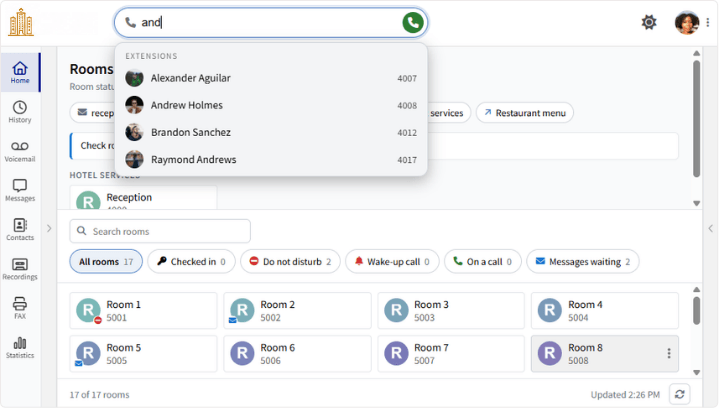
Vodia User Web Portal displaying matching names and extension numbers as a user types in the dialer.
Dial by name: Type a name in the dialer to search accounts and the address book, then select a match to call.
Ring Groups panel: Call a ring group with one click, or drag a call into the group to transfer.
Guided permission setup: A step-by-step bar guides users through microphone and notification permissions; an incoming call keeps ringing while the browser requests microphone access.
Richer caller details: The call screen displays the other party’s company and full name when they are matched to an address book entry.
Custom ringtones and message tones: Administrators can upload ringtones in audio formats the browser can read, with ring cadence and volume controls. Users can choose when incoming message tones play.
Downloadable chat attachments: MMS attachments the browser can’t display, such as contact cards, HEIC images, and 3GP videos, appear as downloadable files (instead of as empty bubbles).
These changes make common tasks easier to complete directly in the browser.
Better validation, storage, and integrations
V70.7 also addresses configuration errors and compatibility issues that can affect daily operations.
Emergency caller ID validation: Tenant and extension settings now check the format of emergency caller ID numbers before saving, catching invalid entries (though administrators should still confirm each number is correct and can receive callbacks).
Regional AWS S3 endpoints: Recording/CDR and tenant cloud storage settings now use the regional S3 address, fixing storage failures for buckets outside us-east-1.
Restored JSON CDR compatibility: The JSON CDR layout returns to the format used in versions 68 and 69, restoring compatibility with existing line parsers.
FAX attachment controls: Choose whether FAX PDFs are emailed for inbound messages, outbound messages, or both, through extension and user notification settings.
projectfacts integration: A new integration expands available business application connections.
These updates help partners maintain existing integrations and identify configuration problems before they affect their customers.
Upgrade to 70.7
Version 70.7 is available from the software update page. Before upgrading, take a backup or VM snapshot and check the requirements and settings below.
Supported operating systems: Ubuntu 24+, Debian 12+, CentOS Stream 10+, AlmaLinux 10+ or Rocky Linux 10+.
Opus library: Install using dnf install -y opus on the RHEL family or apt-get install -y libopus0 on Debian/Ubuntu.
Upgrading from version 68: Follow the documented sequence: 68.0.45 → 69.5.21 → 70.2, before moving to the latest 70 release; reset earlier webpage customizations to default before upgrading to V70.
Changed defaults: Calls in app now default to off at system, tenant, and extension levels; native 911 in phone provisioning defaults to off. The default pause between hotel wake-up call attempts is now five minutes, instead of one. These defaults apply only to unsaved settings.
After upgrading: Verify emergency caller ID settings. For gateways with more than 48 ports, open the phone page and verify all extensions occupy the correct slots. Review CDR report times that use AM or PM.
Whether your customers run hotels, contact centers, or multi-site enterprises, Vodia brings voice, video, messaging, and AI voice agents together, with cloud or on-premises deployment and white-label options. Find out everything V70.7 brings to the table - contact the Vodia team to book a demo. And prepare for amazement.
Vodia is heading to CVx EXPO26, November 17–18 in Glendale, Arizona. Visit Booth 2009 to meet the Vodia team, learn more about our business communications platform, Partner Program, white-label capabilities and the latest V70 developments, and discuss how Vodia can support your customers. The event brings together MSPs, VARs, technology advisors, service providers and other channel professionals, making it a great opportunity to connect directly with the team, ask questions and explore how Vodia can support your business.
Following a critical PHP security advisory affecting installations worldwide, we temporarily restricted public access to some of our backend services while carrying out necessary upgrades. Access has now been restored, and the affected services are operating normally. The Vodia PBX itself does not use PHP and was not directly affected. We explain what happened, the changes to legacy licensing and TLS support, and why customers running older PBX versions should contact us for upgrade guidance.
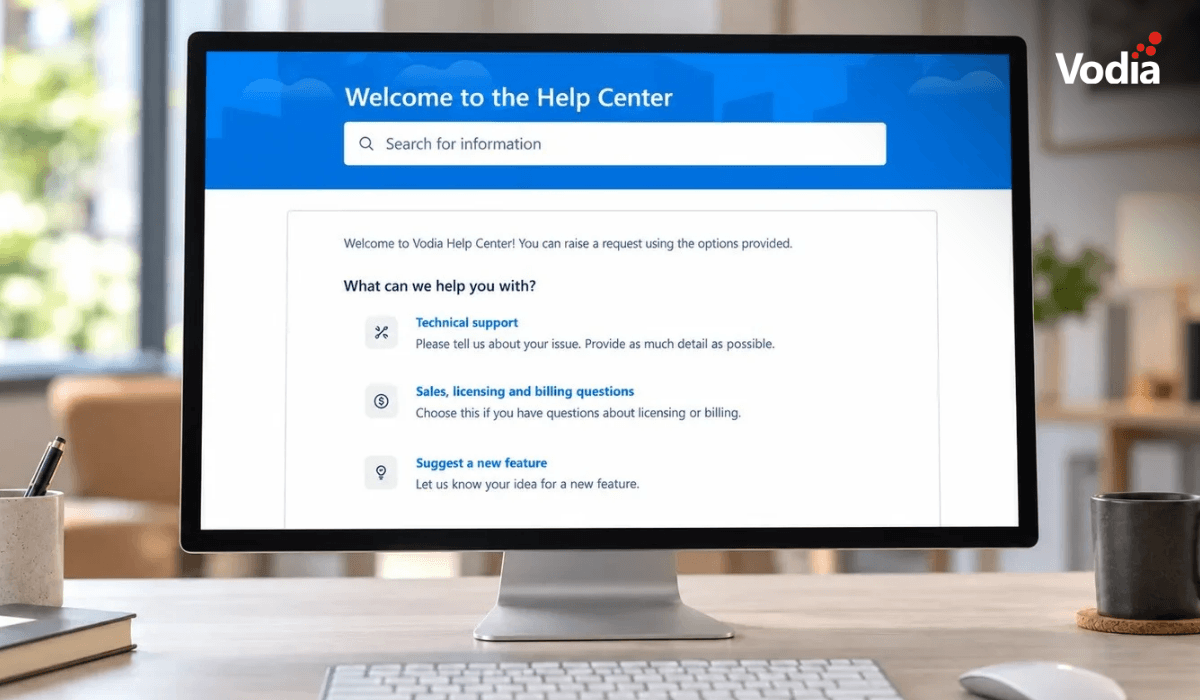
Submitting a support ticket with the right information helps our team understand your issue and reduces follow-up questions. This step-by-step guide walks you through the Vodia Help Center, from describing the problem and attaching diagnostic files to setting the business impact and providing your PBX details. You’ll also learn which call details and timestamps to include, alongside practical tips to keep troubleshooting focused and help our support team investigate your issue more efficiently.