.svg)


Your Vodia extension, right on your desktop
Make and receive business calls, manage active conversations, message colleagues, check voicemail and keep contacts close from one connected Vodia workspace. Open the Vodia Softphone in your browser or install it as a Progressive Web App.
One softphone. Use it in your browser or install it as a PWA.
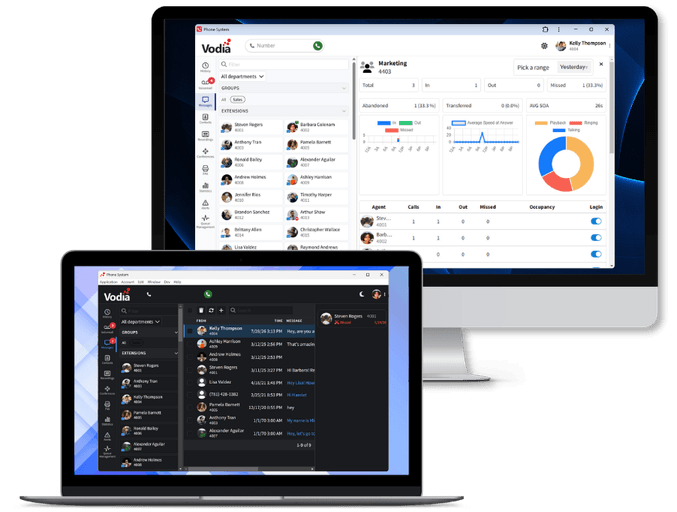
Choose how you want to use the Vodia Softphone
The Vodia Softphone brings calling, messaging, voicemail, contacts and extension settings together in the Vodia User Portal. Use it directly in a supported browser or install the recommended PWA for a standalone desktop experience.

Progressive Web App (PWA)
Install the Vodia User Portal from Safari, Chrome or Microsoft Edge and open it in its own application window. The PWA requires no separate executable or app-store installation and stays closely aligned with PBX updates.




Web browser
Sign in to the Vodia User Portal and make and receive calls without installing an application. This is the quickest way to access the softphone from a supported browser.

Recommended for most users
Why Vodia recommends the PWA
The PWA delivers the familiar Vodia Softphone in a standalone window while keeping deployment simple. It runs within the browser security model, does not require users to install software from an app store or executable, and reduces compatibility issues after PBX upgrades.
Keep calls, messages and follow-up in one place
Move between conversations, recent activity and customer information without switching between separate communication tools. Vodia keeps the context around every call within the same desktop workspace.
Call history
Review and return incoming, outgoing, missed and abandoned calls.
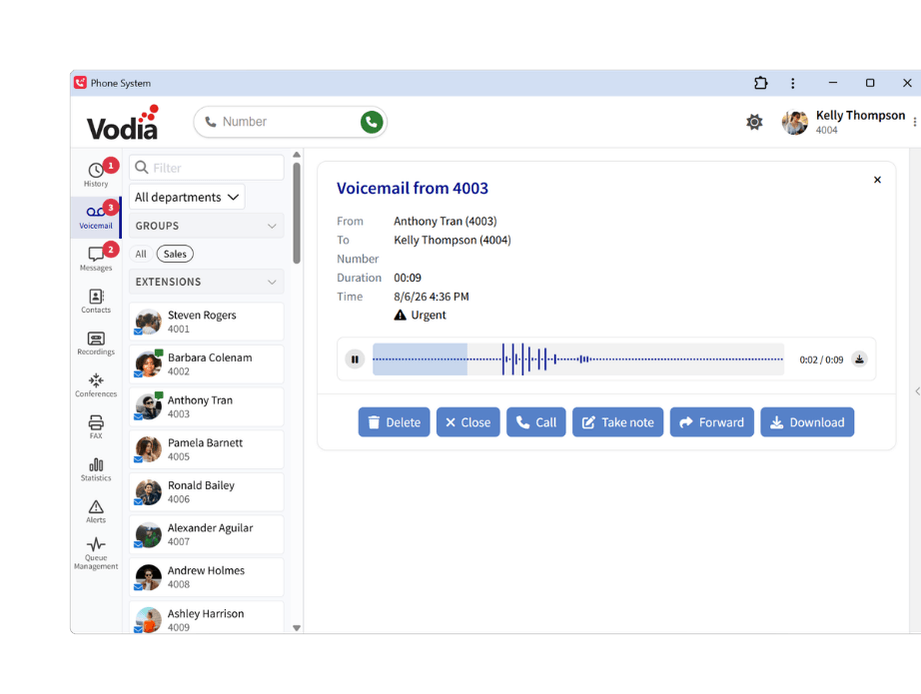
Voicemail and fax
Access voicemail, transcriptions and received faxes from one mailbox.
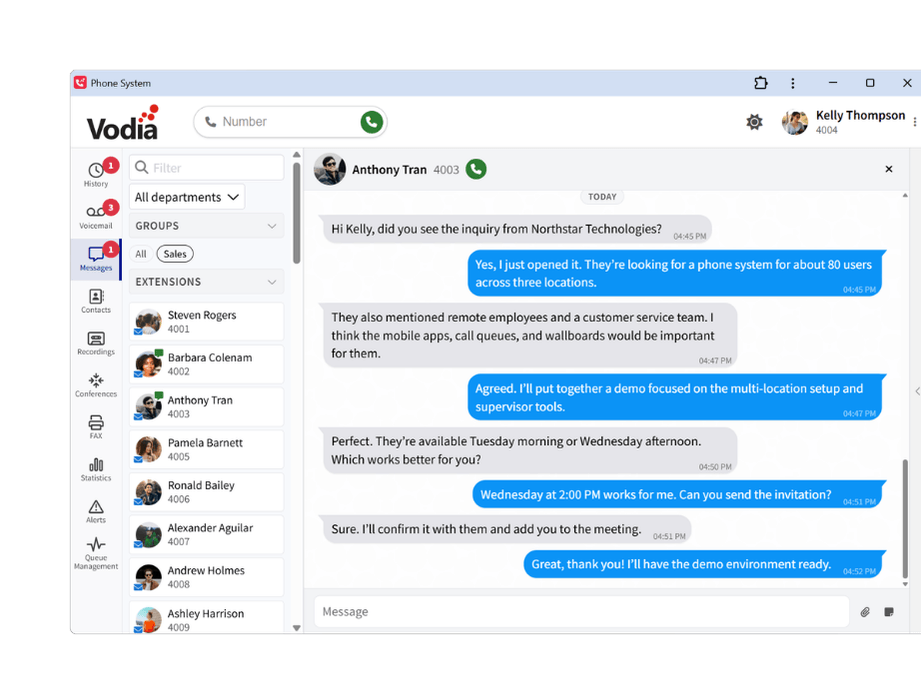
Messaging
Chat, share files, add notes and start calls from one conversation.
Contacts and presence
Find contacts and check Vodia and Microsoft Teams presence before calling.
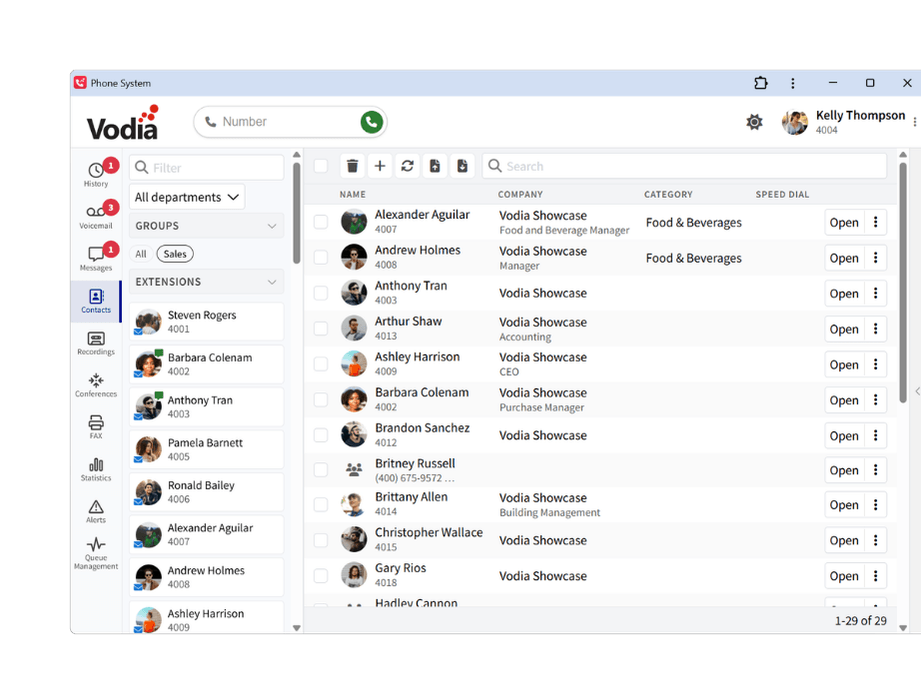
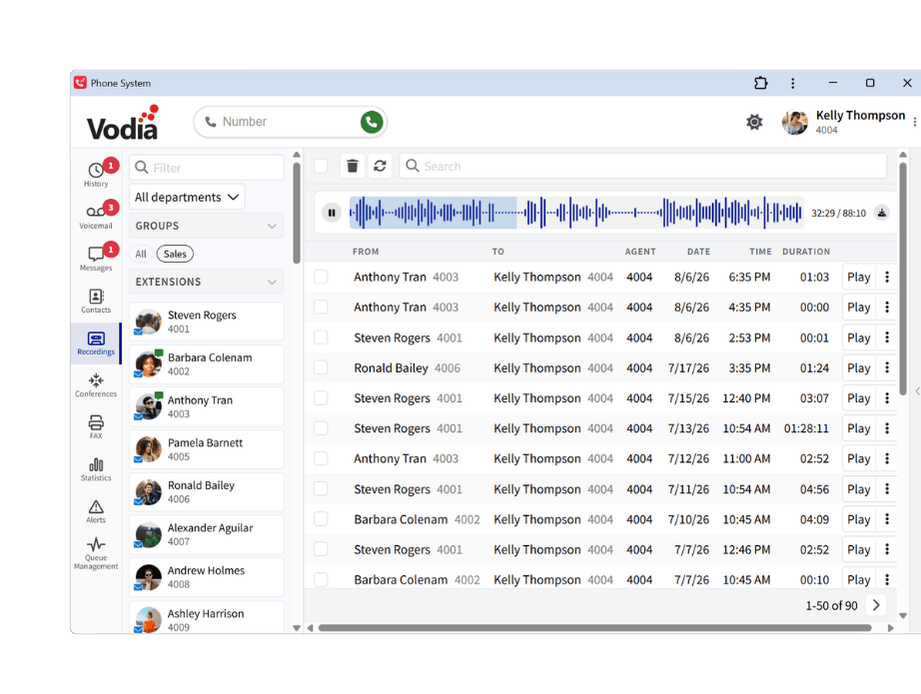
Recordings
Play recordings, review call details and add notes when permitted.
Activity feed
See calls, voicemail, faxes, messages and notifications in one feed.
Keep every conversation under control
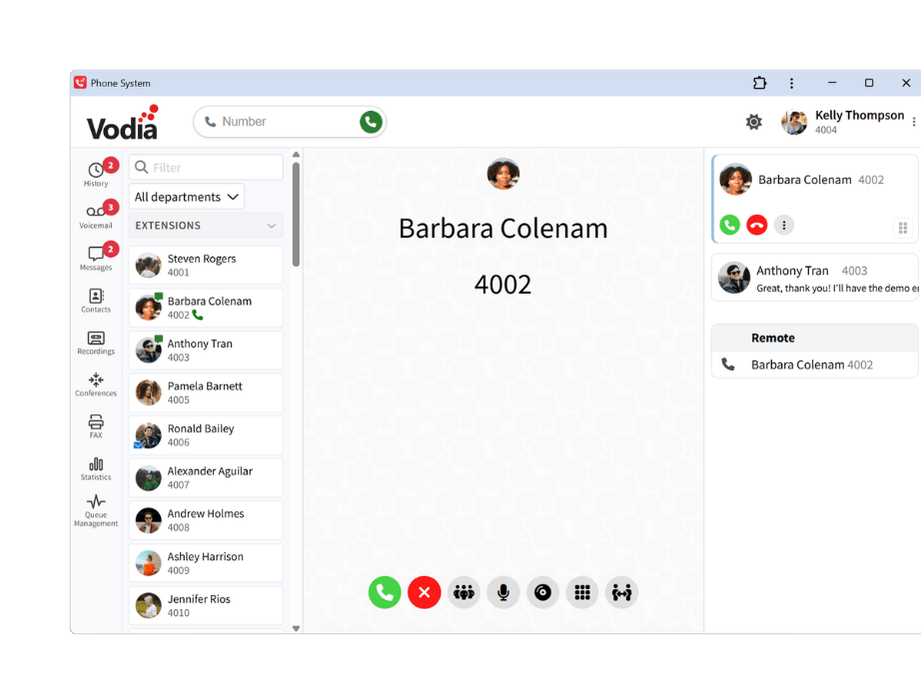
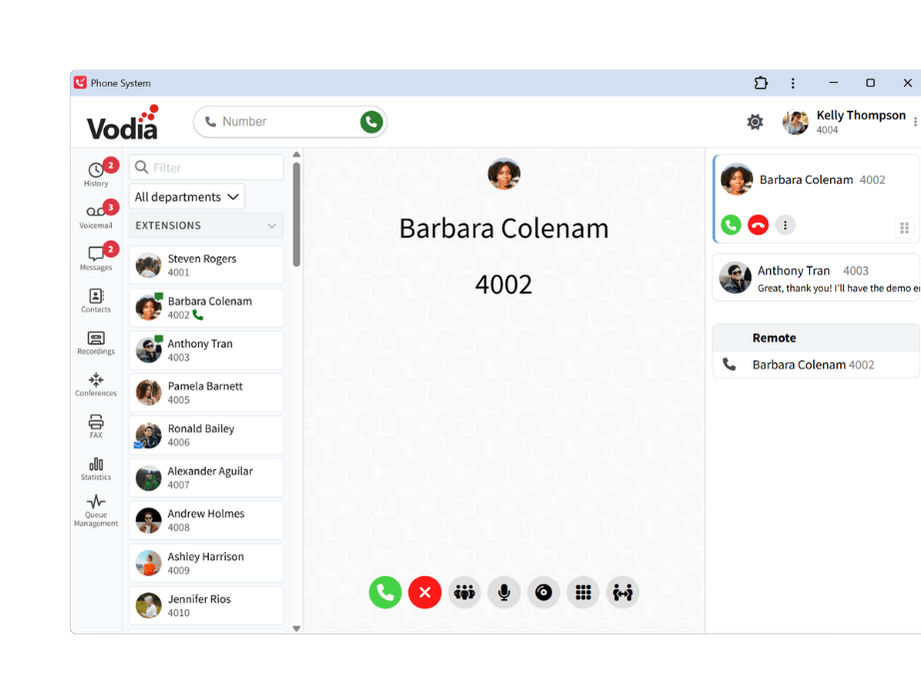
Place and receive calls through your Vodia extension, then manage the conversation from a persistent call panel with the controls you need close at hand.

Audio and video calling
Make and receive audio or video calls and launch one-click Jitsi Meet conferences when configured.

Hold, mute and keypad
Pause and resume calls, mute your microphone and use the dialpad for IVR input without leaving the active call.

Transfer and bridge calls
Send a caller to another extension or number, or connect two active calls when a conversation needs to move.

Headset and remote answer
Use compatible headset controls to answer or reject calls, or take an incoming call on another connected device.

Notes and call categories
Add notes during a call and categorize queue conversations to keep useful context available for reporting and follow-up.

Recording controls
Start or stop an ad hoc recording from the active call when recording is enabled and permitted.
Manage how your extension works
Update important call-routing, availability and device settings directly from the same workspace without relying on an administrator for every change.

Call forwarding
Forward all calls or define different destinations for busy, unanswered and unregistered calls, with optional schedules for specific days and times.

Do Not Disturb (DND)
Change your availability and, when Microsoft Teams is connected, keep DND synchronized between both platforms.

Devices and notifications
Choose the microphone, speakers, camera, ringtone output and notification settings that fit your desktop setup.

Mailbox and profile
Manage voicemail greetings and notifications, update profile details and personalize regional and display preferences.
Give every extension the right home screen
Administrators can tailor the Vodia User Portal home screen for individual extensions while keeping each tenant’s experience on-brand. Start from a ready-made template, complete only the relevant fields, and apply tenant-specific logos, favicons and login backgrounds to create a focused workspace for every user.

Multiple templates
Choose a branded welcome screen or a purpose-built view for agent activity, recordings, analytics and queue performance.
Simple configuration
Complete only the fields required by the template, and Vodia builds the home-screen configuration for you.

Designed for each role
Give each user a relevant home screen while keeping access controlled by the extension’s existing permissions.
Keep queues and performance in view
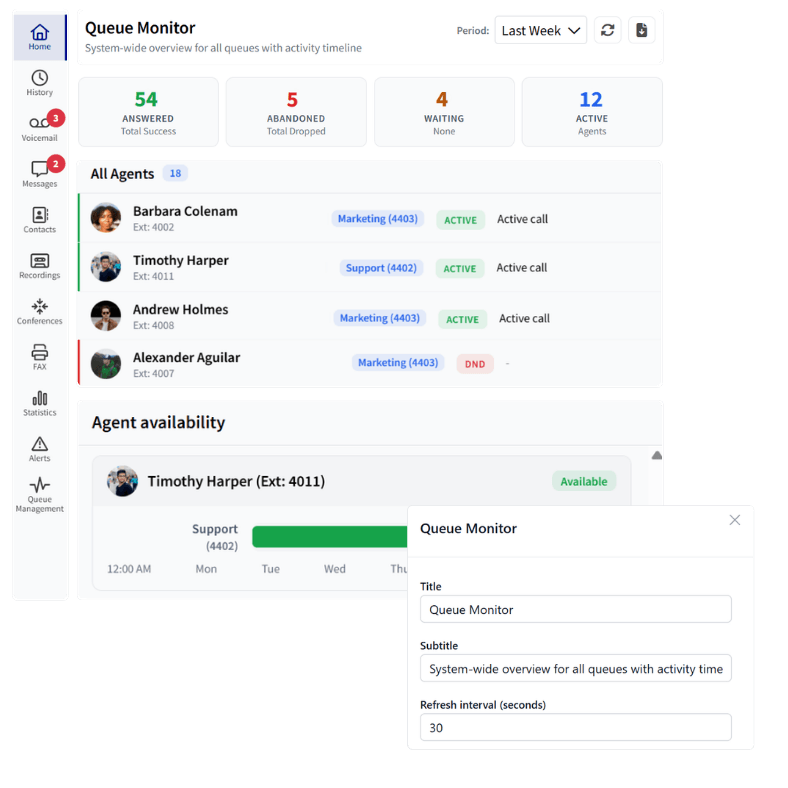
Users with the appropriate permissions can monitor live queue activity, review call handling and understand agent performance without leaving Vodia.
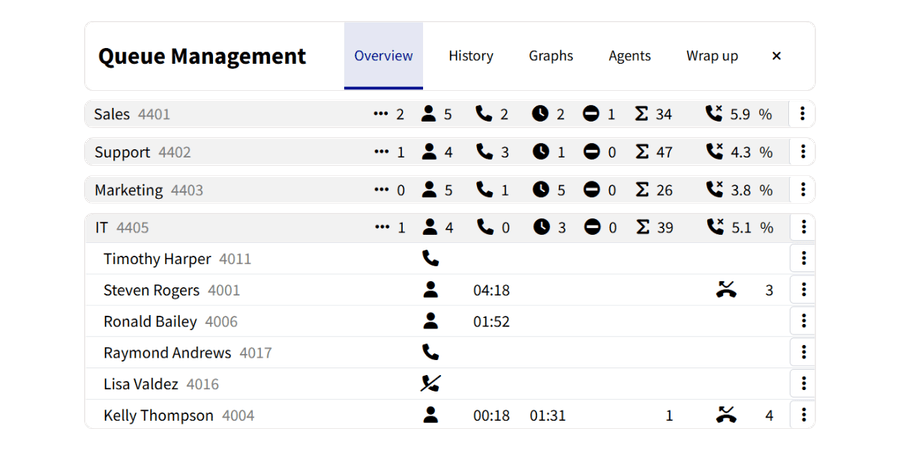
Live queue activity
See waiting callers, logged-in agents, active calls, idle agents and abandoned-call percentages across assigned queues.
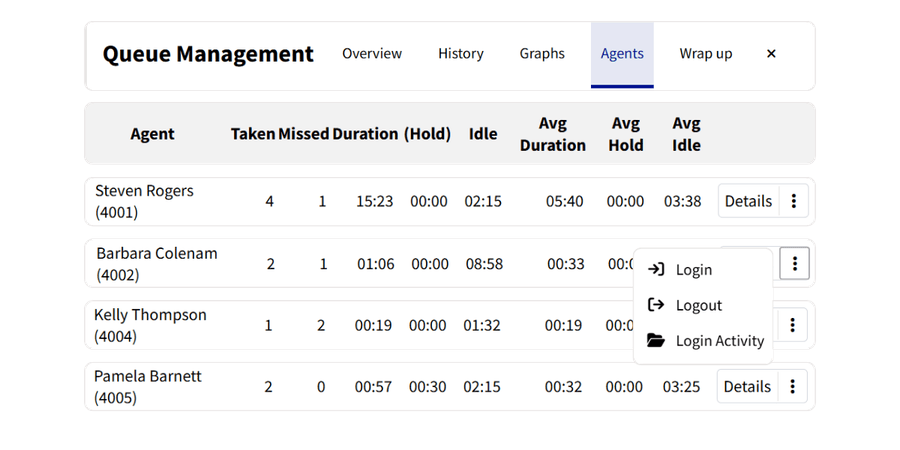
Agent controls
Log agents in or out, change Do Not Disturb status and manage availability where your permissions allow it.
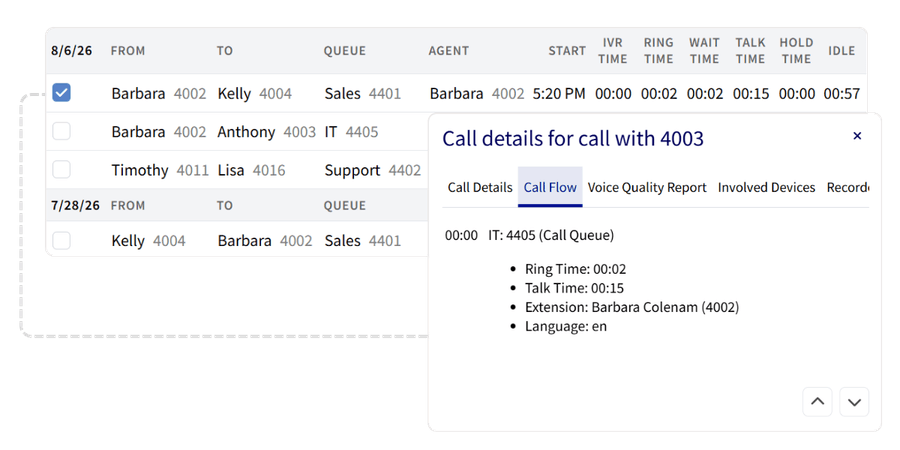
Call history and details
Compare inbound and outbound call activity, review wait, ring, talk and hold times, access recordings and export call data.
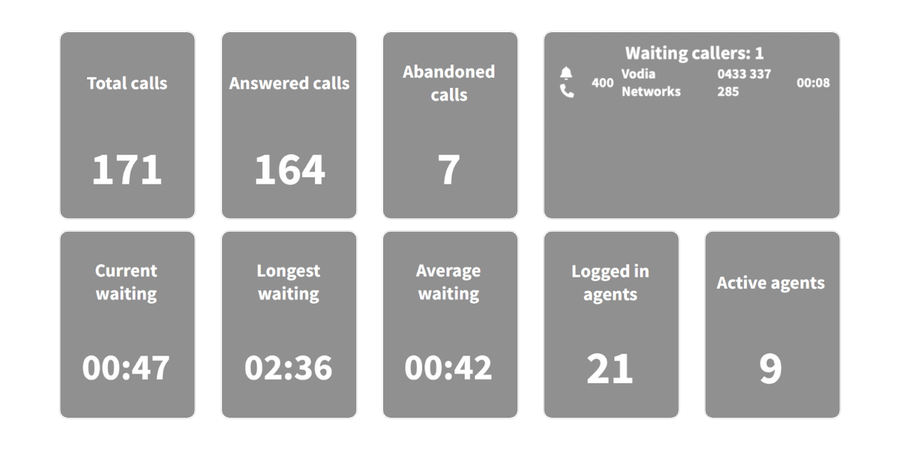
Statistics and wallboards
Monitor user availability, call-quality scores and real-time queue performance through visual dashboards.
Start calling from your computer

Sign in to your Vodia PBX
Open the Vodia User Portal using the address and credentials provided by your administrator.


Choose your desktop experience
Continue in your browser or install the recommended PWA from Safari, Chrome, Firefox or Microsoft Edge.

Select your devices
Allow microphone access and choose your preferred headset, speakers, camera and ringtone output.
Make every phone number clickable in Windows
Vodia Hub is a lightweight Windows companion that stays available in the system tray and pairs with one Vodia extension. It connects everyday Windows workflows to the Vodia User Portal or a registered desk phone, so users can act on calls without leaving the application they are working in.
- Click to call from other applications - Click
tel:links in Microsoft Outlook, CRM tools, browsers and other Windows applications to place the call through your Vodia extension. - See incoming-call screen pops - View caller and queue details, control the call, block unwanted callers or add rejected calls to a callback list.
- Connect calls to existing workflows - Trigger a webhook, open a customer record or run a local command when a call arrives using the caller's number.
Bring your business phone to the desktop
Make and receive calls, manage conversations, access voicemail and messages, and keep contacts and queues close in your browser or through the Vodia PWA.
Prefer to explore on your own? Launch a prepaid instance on:


