.svg)


Bring real-time queue visibility to every screen
Display live queue activity, agent status, call performance, and queue metrics on large screens, dashboards, and operations centers. Built for contact centers, service providers, and enterprise communication teams that need instant awareness of what is happening across their call queues.
A dedicated wallboard platform for your call queues
Vodia Wallboards is a self-hosted platform for live monitoring and display of Vodia call queue activity. Connect one or more Vodia PBX servers, enable monitoring for the tenants whose queues you want to track, and build wallboards for supervisors, operations teams, and large displays.

Live queue visibility
Track queue performance, waiting calls, service levels, and agent availability in real time.

Custom dashboards
Build custom wallboards for teams, departments, and environments.

Multi-PBX support
Display call queue activity from multiple PBX systems.

TV and kiosk mode
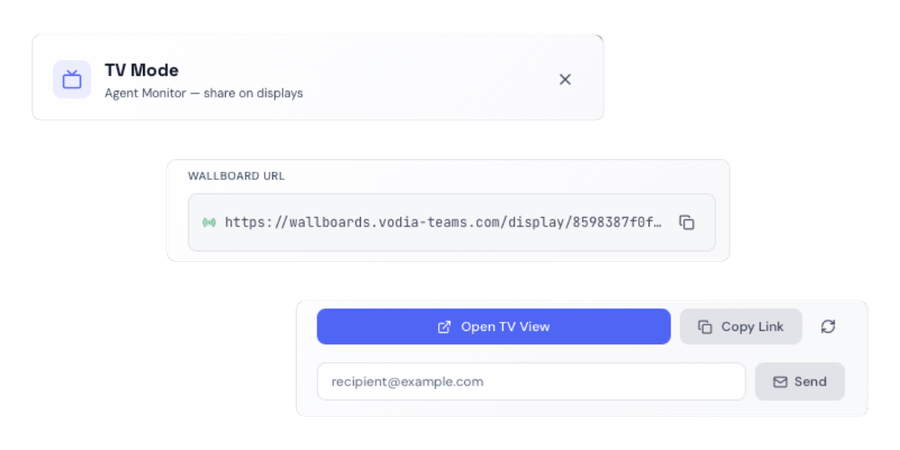
Present dashboards on dedicated displays without requiring user interaction.
See call queue activity in real time
Monitor the metrics that matter most to supervisors, support teams, contact centers, and service providers.

Preset layouts
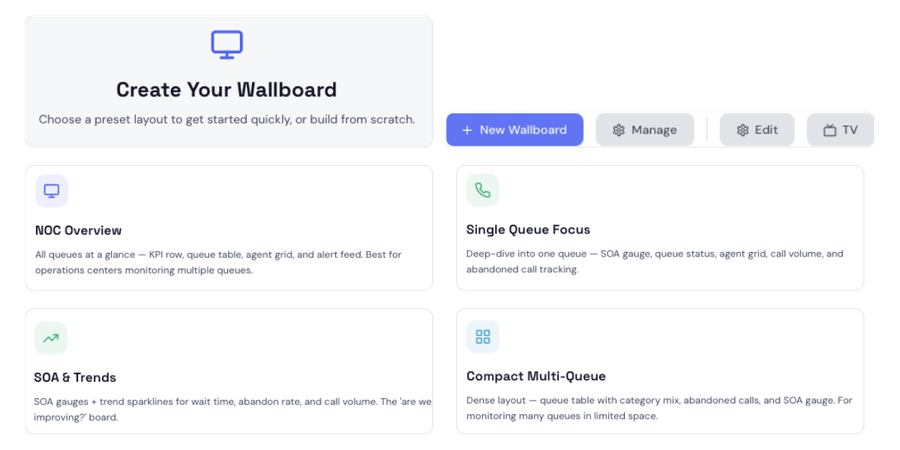
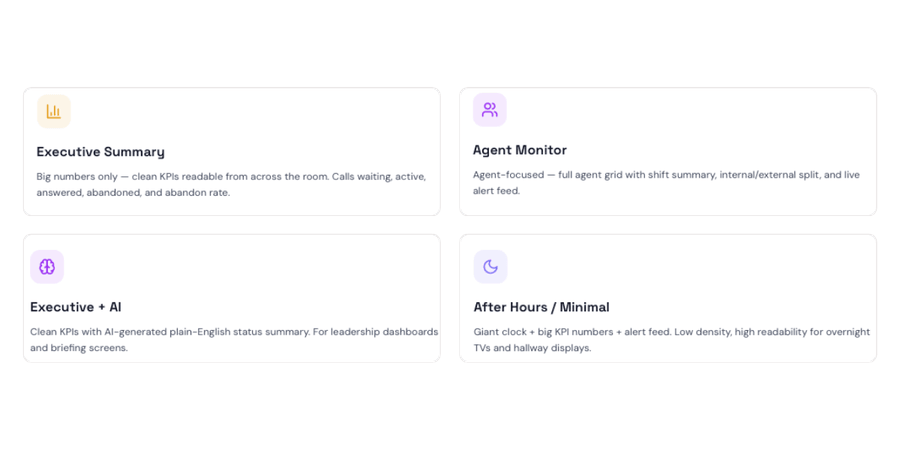
Start quickly with one of eight ready-made layouts, then adapt widgets and filters to the way your teams work.

AI queue summaries
Add a plain-language assessment of current queue health and recommended actions to a wallboard.

Configurable widgets
Build dashboards using widgets for queue metrics, agent status, active calls, trends, alerts, and AI summaries.

System overview
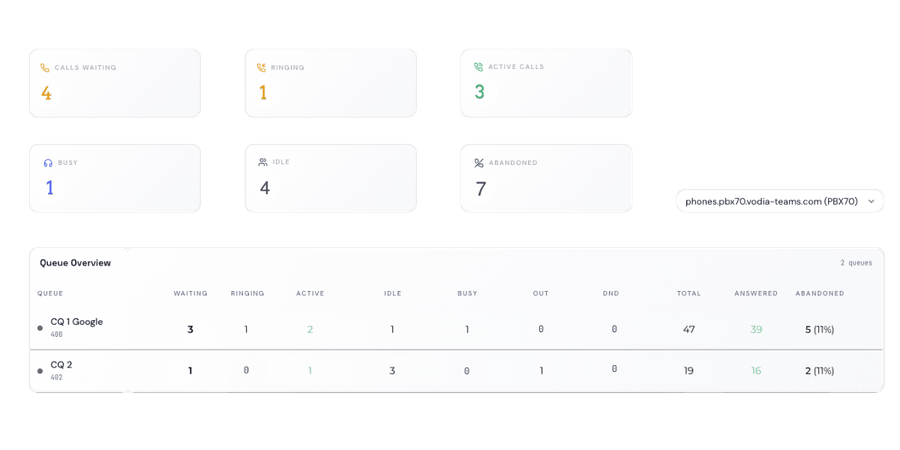
View calls waiting, ringing and active calls, agent status, and abandoned calls from one dashboard.

Queue insights
Track waiting calls, service levels, abandoned calls, and agent availability in real time.

Custom branding
Apply logos, colors, and visual identity to create a consistent dashboard experience.
Built for large-screen environments
Wallboards can be displayed in dedicated display mode, making them suitable for televisions, monitoring stations, control rooms, and shared operational spaces.

Full-screen presentation
Optimize dashboards for large-format displays and dedicated wallboard screens.

Live updates
Keep dashboards updated in real time as queue activity changes.

Login-free display links
Publish a wallboard to a dedicated display without requiring viewers to sign in.
View call queue activity across multiple PBX systems
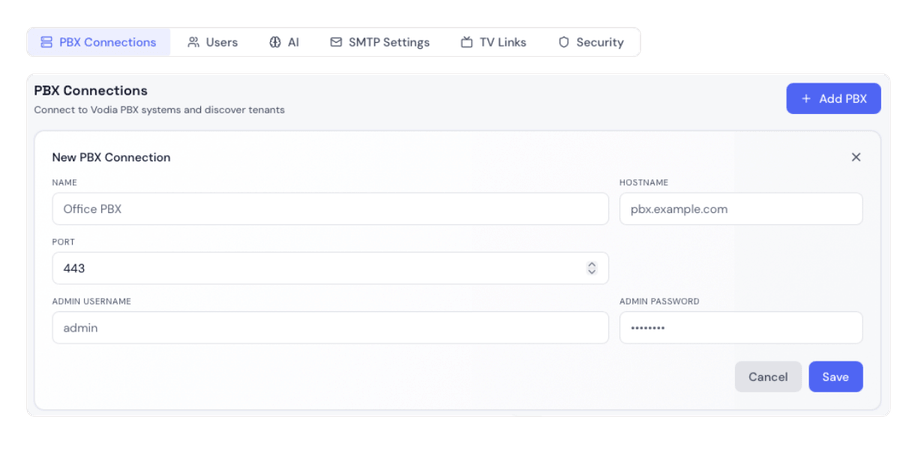
Connect multiple PBX servers and display call queue activity from different environments in one wallboard deployment.
Connect multiple PBX systems
Monitor call queues from multiple PBX systems in one location.
View queues by tenant
Compare call queue activity across offices, customers, or regions.
Build unified wallboards
Combine information from multiple systems into a single view.
Display where teams need it
Support enterprise and service provider environments.
Designed around your workflows
Configure widgets, layouts, branding, and display options to match operational requirements and organizational standards.

Widget-based design
Build dashboards using reusable widgets that display queue activity, agent performance, call statistics, and other queue metrics.

Wallboard settings
Configure display behavior, refresh intervals, layouts, and operational preferences for each wallboard.

Queue filters
Build a view around all queues or focus widgets on a specific queue when detail matters.
Role-specific views
Create wallboards optimized for supervisors, operations teams, executives, support staff, and contact center environments.
Spot queue issues before they escalate
Wallboards provide immediate visibility into call queue activity, helping teams identify issues, track performance, and maintain awareness throughout the day.

Threshold alerts
Surface warnings when queue conditions, such as waiting calls or abandonment rate, exceed defined limits.

Team alignment
Keep supervisors and agents focused on shared operational goals.

Agent activity
See whether agents are active, ringing, busy, idle, logged out, or in Do Not Disturb.
Built on proven PBX infrastructure
20
490
110
45
75
Access and security
Vodia Wallboards is self-hosted and lets you scope access by PBX system, tenant, or individual queue, so users see only the information relevant to their role. Administrator accounts require multi-factor authentication through a passkey or authenticator app, while PBX connection credentials are encrypted at rest.
Frequently Asked Questions
What are Vodia Wallboards?
Can Wallboards display information from multiple PBX systems?
Can Wallboards run on large displays and TVs?
Is Vodia Wallboards part of the Vodia PBX?
Can I create custom wallboards?
Can Wallboards be branded?
Keep communication teams informed in real time
Give communication teams real-time visibility into call queue activity, performance, and agent status across your PBX environment.
Prefer to explore on your own? Launch a prepaid instance on:


