Vodia PBX now supports xAI’s Grok, giving partners another option for building AI voice agents for their customers. Using Grok’s speech-to-speech API, a Vodia Voice Agent can greet callers, ask who they’d like to speak with and transfer them to the appropriate extension. For example, a caller can simply say they’d like to speak with sales and be connected to the sales team. The article walks through what you need to connect Vodia PBX to Grok and includes a sample call transfer script you can adapt to your own call flow.
We never rest in our search for new integrations that will enable our partners to provide cutting-edge business communications tools to their customers, so we’re extremely pleased to report we now support Grok.
What is Grok?
Grok is an AI assistant developed by xAI. It can answer questions, help with writing and coding, search for information, generate images, and support voice conversations. It is available through a browser and mobile apps; developers can use xAI’s APIs to integrate its capabilities into other platforms.
With Grok support, Vodia partners have another AI option for building voice agents on Vodia. They can configure an agent to greet callers, ask whom they need to reach, and transfer the call to the appropriate extension.
Grok setup in the Vodia PBX
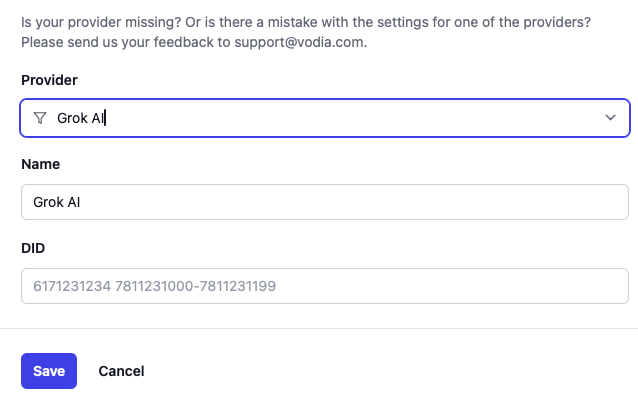
To connect Vodia PBX to Grok, first register a phone number with xAI through its API. Then create a trunk in Vodia PBX, select Grok as the trunk type and enter the registered number as the outbound number. Vodia automatically configures the SIP connection to xAI over TLS. Before you begin, make sure your xAI account has API access and available credits.
You’ll need to log into the xAI Cloud Console and create an API key - you'll use it both for number registration and inside the Voice Agents script. xAI doesn’t provision numbers - you must register a number under origin: "byo_trunk", and xAI matches inbound SIP against it. The number doesn’t need to be dialable on the PSTN — it’s only used between your PBX and xAI — but it must be a well-formed E.164 number, since xAI validates the format.
Vodia Voice Agents can use Grok’s speech-to-speech API to talk with callers and transfer calls. As with the OpenAI example, the audio (RTP) is established with a SIP call to xAI, while call control and function calls are handled over a WebSocket bound to the same call by the unique call_id xAI delivers in its webhook.
Before using the script, register your phone number with xAI, configure the webhook and SIP authentication, and then set up the generic SIP trunk and dialplan on Vodia.
We continue to refine and strengthen V70 so it supports the integrations our users need to build peerless business communication ecosystems. We’ve been at the vanguard of enterprise and SMB telecommunications for a long time, and we intend to remain there, setting the standard for unified communications for businesses of any and every size. For questions about Grok or any other Vodia integrations, contact us at sales@vodia.com or call +1 (617) 861-3490.
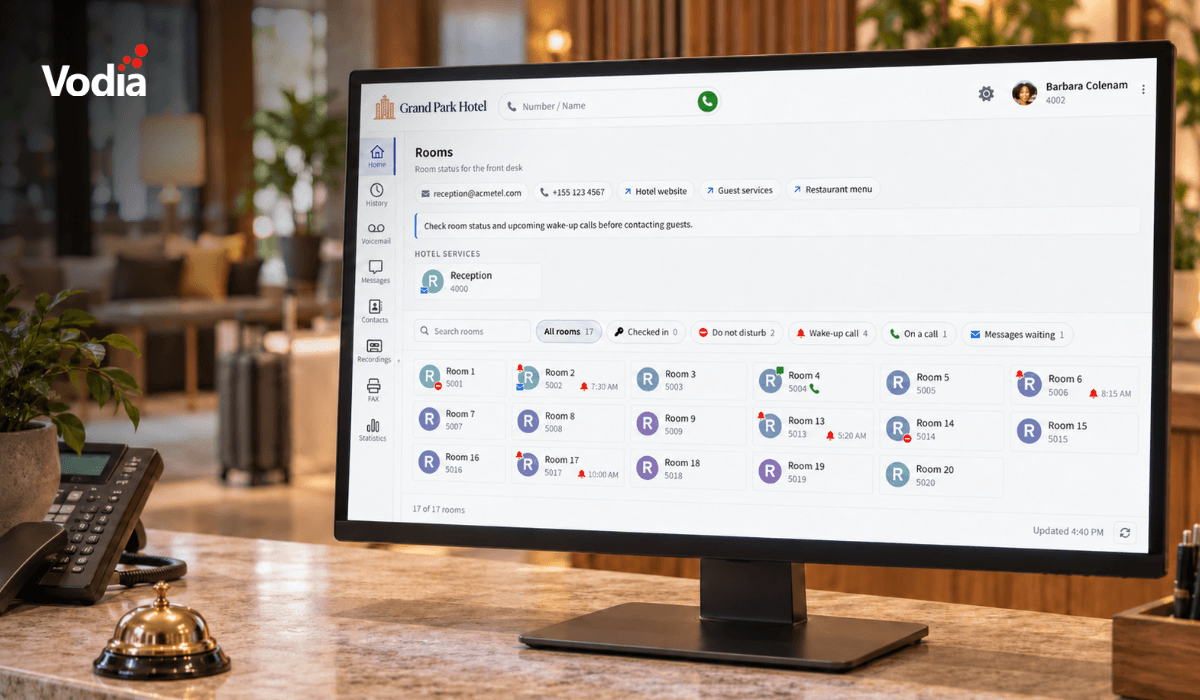
Vodia PBX 70.7 brings practical improvements to hotel operations, call quality troubleshooting, outbound dialing, and device provisioning. A new Hotel Front Desk template puts room status, wake-up calls, and guest services in one place, while additional call quality metrics help teams investigate audio issues. Updates to the User Web Portal, reporting schedules, hardware support, and integrations give MSPs, resellers, and service providers more tools to manage deployments and support their customers’ everyday communications.
Vodia is heading to CVx EXPO26, November 17–18 in Glendale, Arizona. Visit Booth 2009 to meet the Vodia team, learn more about our business communications platform, Partner Program, white-label capabilities and the latest V70 developments, and discuss how Vodia can support your customers. The event brings together MSPs, VARs, technology advisors, service providers and other channel professionals, making it a great opportunity to connect directly with the team, ask questions and explore how Vodia can support your business.
Following a critical PHP security advisory affecting installations worldwide, we temporarily restricted public access to some of our backend services while carrying out necessary upgrades. Access has now been restored, and the affected services are operating normally. The Vodia PBX itself does not use PHP and was not directly affected. We explain what happened, the changes to legacy licensing and TLS support, and why customers running older PBX versions should contact us for upgrade guidance.