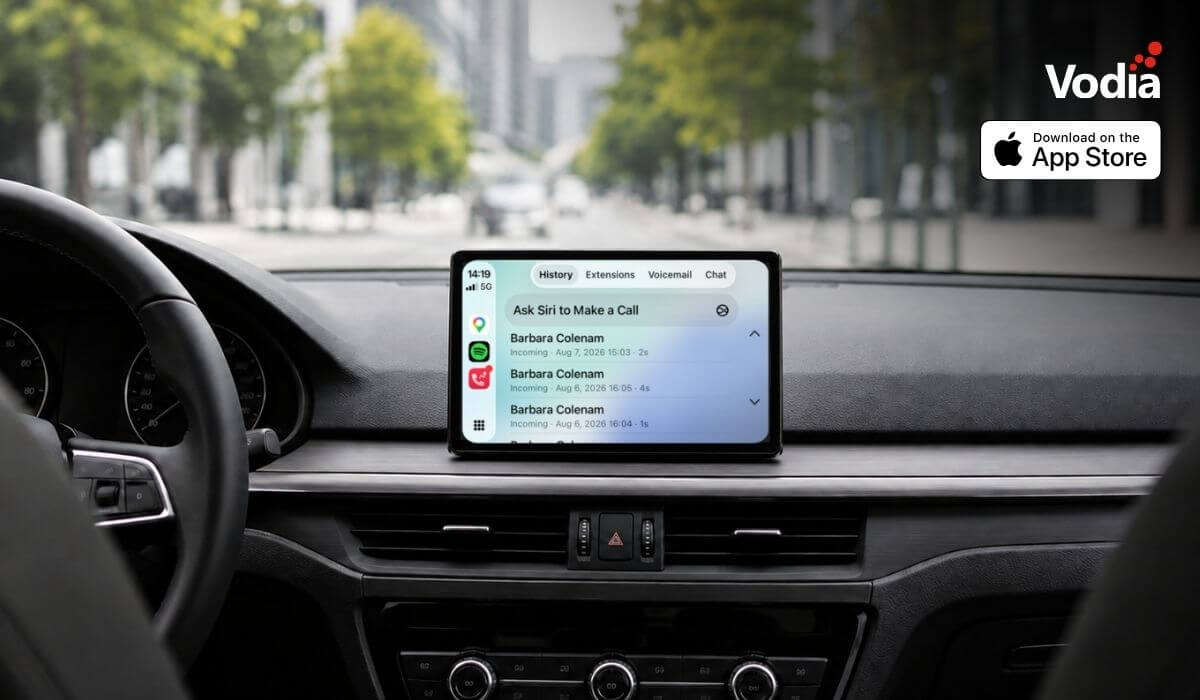
Apple CarPlay support is now available with the Vodia iOS app, bringing essential PBX communication features to the vehicle display through Apple’s native in-car interface. Users can access recent calls, browse the extension directory, view colleague presence, listen to voicemail, use Siri for calls and PBX messages, and receive communication alerts, while built-in readiness checks and automatic recovery help maintain reliable access when network conditions change. The experience supports compatible wired and wireless CarPlay systems.
The Vodia PBX was designed to support modern work, including hybrid teams, remote users, and bring your own device (BYOD) environments. Vodia gives businesses a flexible communication platform that helps employees stay connected - without being tied to a desk.
Earlier this summer, we announced the new Vodia iOS app, which gives Apple users a native way to use their Vodia extensions from iPhone and iPad. The redesigned app is built around a cleaner, card-based interface, making it easier to manage calls, call history, active call controls, chat, extensions, voicemail, call parking, and transfers, all from one mobile experience.
The Vodia iOS app also provides readiness checks, visual audio feedback, call quality visibility, and adaptive recovery when network conditions change, helping users stay connected with a more reliable mobile PBX experience.
We are delighted to announce that Apple CarPlay support is now available with the Vodia iOS app.
Vodia calling, now in CarPlay
CarPlay gives iPhone users a familiar way to access selected communication, navigation, and media features from a vehicle’s built-in display.
With the Vodia iOS app, users can now access a focused Vodia Phone experience in CarPlay when their iPhone is connected.
The CarPlay interface is built with Apple’s native CarPlay templates and includes four main areas:
Call History
Extension Directory
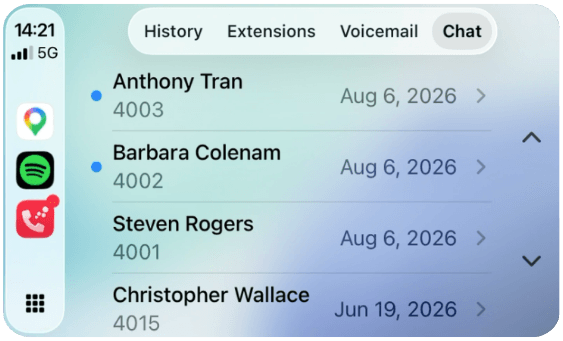
Messages
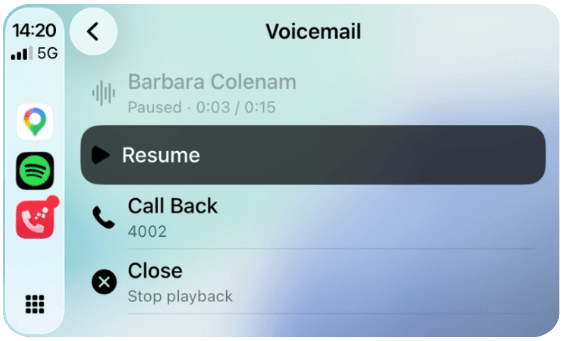
Voicemail
This gives users access to essential Vodia PBX communication features from the vehicle display, without turning the dashboard into a full desktop PBX interface.
What CarPlay adds to the Vodia iOS app
With CarPlay support, Vodia users can access important PBX features from the vehicle display:
Business call handling: if a personal mobile call arrives during a Vodia call, iOS can offer options such as Hold & Accept instead of dropping the active PBX call.
Calls in CarPlay: view recent calls, access extensions, and start calls from the CarPlay interface.
Call history: see missed, incoming, and outgoing calls with day, time, and duration for up to the last 50 calls.
Car audio support: the vehicle head unit is treated as an available audio device and can appear in the app’s audio picker alongside Bluetooth and wired headsets.
CarPlay alerts: incoming calls, missed calls, new voicemail, and new messages can surface on the vehicle display, with Siri announcement support where enabled.
Confirmation before dialing: select a colleague or recent call and confirm before the call is placed.
Extension directory: see colleagues sorted by extension, with details such as photo, department, and title where available.
Native in-car call screen: incoming and active Vodia calls use Apple’s native in-car calling interface, with the Vodia Phone name and icon shown on the vehicle display.
Presence visibility: view whether colleagues are available, on Do Not Disturb, or offline, based on PBX presence.
Siri-assisted chat: PBX chat conversations can appear in CarPlay with unread indicators and timestamps, while Siri can read messages aloud and take dictated replies.
Siri calling: ask Siri to place a call, including from the steering wheel button where supported.
Voicemail playback: play PBX voicemail messages, view progress, pause and resume, replay messages, and call back from the voicemail player.
Reliability and readiness
The Vodia iOS app also brings readiness and recovery behavior into the CarPlay experience. Instead of showing a blank or unclear screen when something isn’t ready, the app can report states such as not signed in, no internet connection, connecting, registering, or ready.
Before dialing, Vodia Phone verifies key requirements such as network availability, microphone permission, signaling, and PBX registration. If something isn’t ready, the app can report this state, instead of attempting a call that can’t be completed.
If coverage is lost, for example, in a tunnel, garage, or weak signal area, the app can retry automatically and reload content when the connection and PBX registration return. History, directory, voicemail, and messages are also fetched in parallel, so a failure in one area doesn’t have to blank the others.
Language support
The Vodia CarPlay interface is localized in ten languages: Dutch, English, Finnish, French, German, Greek, Italian, Portuguese, Simplified Chinese, and Spanish. This includes labels on the CarPlay screen and Siri phrases used by the Vodia CarPlay experience.
Requirements and availability
CarPlay support is available through the Vodia iOS app. The user signs in to the Vodia PBX on the iPhone, not in the car.
CarPlay support works with wired and wireless CarPlay head units. SMS and text options from contact cards are available only for tenants with PBX-enabled messaging. Voicemail playback is unavailable during an active call.
The CarPlay experience uses Apple’s CarPlay Communication entitlement and Apple’s native templates. There is no custom driving UI or desktop-style PBX layout on the vehicle display.
CarPlay support is another step in Vodia’s ongoing efforts to make business communication more flexible across devices and work environments. The Vodia iOS app gives Apple users a native way to use their Vodia extension from iPhone, iPad, and now CarPlay.
We were also pleased to announce the Vodia Phone 2 app, which turns an Android device into a Vodia extension for mobile business calling.
To learn more about the Vodia iOS and Android apps, or to discuss how Vodia can support your organization’s mobile communication needs, contact our team at sales@vodia.com or +1 (617) 861-3490.
Vodia is heading to CVx EXPO26, November 17–18 in Glendale, Arizona. Visit Booth 2009 to meet the Vodia team, learn more about our business communications platform, Partner Program, white-label capabilities and the latest V70 developments, and discuss how Vodia can support your customers. The event brings together MSPs, VARs, technology advisors, service providers and other channel professionals, making it a great opportunity to connect directly with the team, ask questions and explore how Vodia can support your business.
Following a critical PHP security advisory affecting installations worldwide, we temporarily restricted public access to some of our backend services while carrying out necessary upgrades. Access has now been restored, and the affected services are operating normally. The Vodia PBX itself does not use PHP and was not directly affected. We explain what happened, the changes to legacy licensing and TLS support, and why customers running older PBX versions should contact us for upgrade guidance.
Submitting a support ticket with the right information helps our team understand your issue and reduces follow-up questions. This step-by-step guide walks you through the Vodia Help Center, from describing the problem and attaching diagnostic files to setting the business impact and providing your PBX details. You’ll also learn which call details and timestamps to include, alongside practical tips to keep troubleshooting focused and help our support team investigate your issue more efficiently.
.svg)