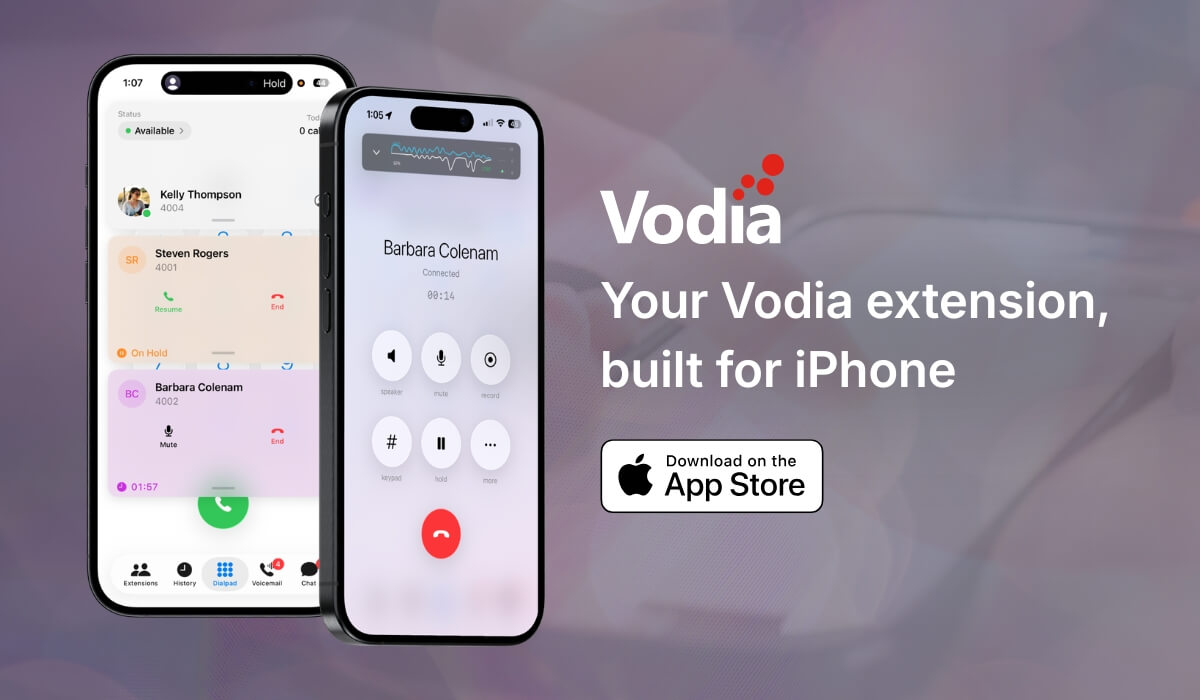
The new Vodia iOS app gives users a native way to use their Vodia PBX extension from iPhone and iPad. Built around a cleaner, card-based interface, the app makes it easier to manage calls, voicemail, chat, extensions, call history, and active call controls in one place. Users can place and receive calls, park or transfer calls, check voicemail, and view extension status from the app. It also adds readiness checks, visual audio feedback, call quality visibility, and adaptive recovery when network conditions change, helping teams stay connected with a reliable mobile PBX experience.
Business communication doesn’t stop when users leave their desks. Calls still need to be answered, customers still need support, teams still need to stay connected, and employees need a reliable way to work from wherever they are.
This is why the new Vodia iOS app was built as more than a mobile dialer. It turns an iPhone into a Vodia PBX extension, giving users a native iOS experience for business calling, voicemail, chat, extension access, and day-to-day call management.
The app introduces a cleaner card-based interface, improved call controls, smarter readiness checks, call quality visibility, and better recovery when network conditions change. It’s designed to make mobile calling feel easier, more familiar, and more reliable for users who depend on a Vodia extension throughout the day.
A cleaner native iOS experience
The updated Vodia iPhone app uses a modern, card-based interface that feels familiar on today’s iPhone. Calls, voicemail, chat, extensions, status, and settings are easier to reach, while proper light and dark modes help the app fit naturally into each user’s device.
The interface follows the latest iOS design patterns, with layered cards, soft glass-style surfaces, and familiar system controls. Instead of forcing users through a legacy softphone experience, the app is built around how people already expect to use their iPhone.
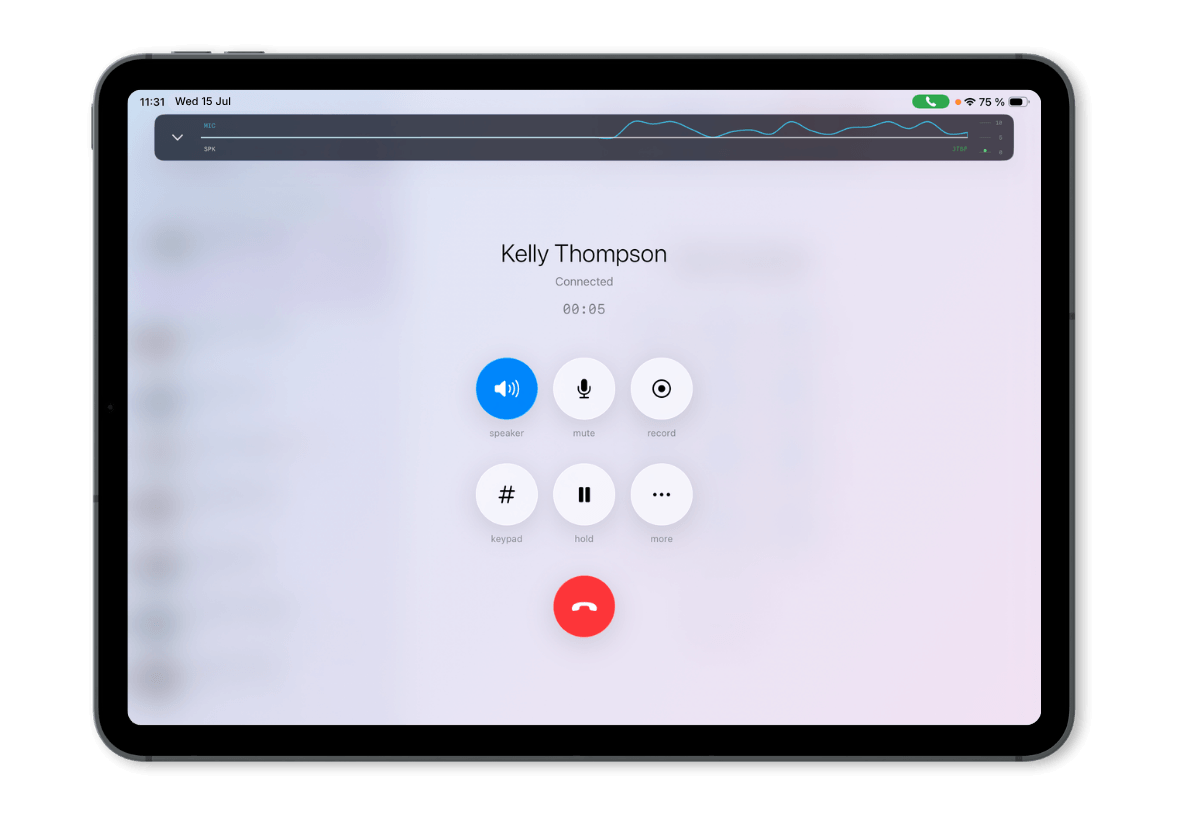
The app also supports iPad, giving users a larger workspace for calls, status, messaging, and daily communication workflows.
Business calling from your Vodia extension
With the Vodia iOS app, users can place and receive calls from their Vodia PBX extension directly on their iPhone. The familiar mobile dialpad makes it easy to start a call, while call history gives users quick access to missed calls and previous conversations.
Users can also access extensions, colleagues, and contact details from the app, making it easier to reach the right person without switching tools. Voicemail and chat are available from the same mobile interface, so users can move between calls, messages, and follow-ups throughout the day.
Expanded language options are also available in the settings area, making the app more accessible for users across different regions and teams.
New call cards for easier call management
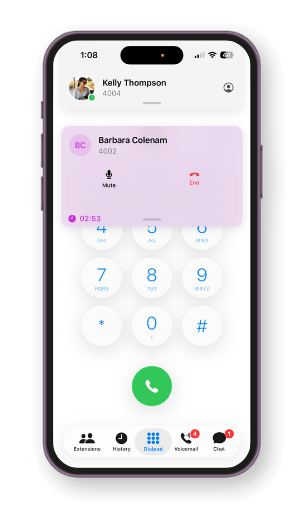
One of the biggest updates is the new card-based call management UI. Active calls, held calls, transferred calls, and parked calls are easier to follow via clear visual cards.
Users can place calls on hold, resume them directly from the call card, access the keypad, mute or adjust audio, and use speaker controls from a cleaner mobile call screen. Where call recording is enabled and permitted, recording controls are also available from the active call interface.
The app also includes visual audio feedback, showing live audio levels during active calls. This gives users a clearer sense of call activity and makes the calling experience feel more modern and easier to follow.
Call parking and transfer from mobile
The app brings important PBX call handling workflows into the mobile experience.
With call parking, users can park a call and notify the correct recipient directly from the app. This is useful when a call needs to be picked up by another person or department, but the user is working from a mobile device.
Call transfer has also been improved with a clearer interface, making it easier to move a call to another extension. These features help mobile users stay connected to the same business calling workflows they use with the Vodia PBX.
Smarter checks before and during the call
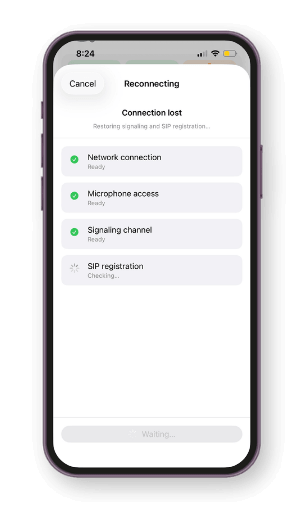
Behind the cleaner interface, the Vodia iPhone app includes readiness and recovery features designed to support more reliable mobile calling.
Before a call starts, the app can check system readiness to help confirm the extension is ready. During active calls, the app can display audio levels and jitter buffer activity, giving visibility into call behavior while the conversation is in progress.
The app also includes an adaptive call recovery mechanism to help recover calls when network conditions change, such as switching from Wi-Fi to mobile data or moving through areas with unstable connectivity. Debug and log tools are also available to help monitor app connectivity and health when troubleshooting is needed.
Know when your extension is ready
The agent card gives users a quick view of their mobile extension state. It shows availability, connectivity, Do Not Disturb (DND) status, registration, and call activity, helping users understand whether the app is ready before they place or receive calls.
Users can see whether their extension is available or in DND mode, check Wi-Fi, signal, and registration indicators, and track daily call activity from the app interface.
For teams that rely on mobile communication, this visibility matters. It helps users feel more confident that their extension is connected, available, and ready for business calls.
Download the Vodia iOS app
The new Vodia iOS app gives users a modern way to use their Vodia extension from iPhone and iPad. With card-based call management, voicemail, chat, extension access, call parking, transfer controls, call quality visibility, readiness checks, and adaptive recovery, it brings a cleaner mobile PBX experience to everyday work.
The Vodia iOS app requires Vodia PBX version 68 or higher.
Still have questions about the Vodia iOS app, V70, or Vodia’s business communication platform? Reach out to our sales team at sales@vodia.com or +1 (617) 861-3490.
Vodia PBX now supports xAI’s Grok, giving partners another option for building AI voice agents for their customers. Using Grok’s speech-to-speech API, a Vodia Voice Agent can greet callers, ask who they’d like to speak with and transfer them to the appropriate extension. For example, a caller can simply say they’d like to speak with sales and be connected to the sales team. The article walks through what you need to connect Vodia PBX to Grok and includes a sample call transfer script you can adapt to your own call flow.
Vodia PBX 70.7 brings practical improvements to hotel operations, call quality troubleshooting, outbound dialing, and device provisioning. A new Hotel Front Desk template puts room status, wake-up calls, and guest services in one place, while additional call quality metrics help teams investigate audio issues. Updates to the User Web Portal, reporting schedules, hardware support, and integrations give MSPs, resellers, and service providers more tools to manage deployments and support their customers’ everyday communications.
Vodia is heading to CVx EXPO26, November 17–18 in Glendale, Arizona. Visit Booth 2009 to meet the Vodia team, learn more about our business communications platform, Partner Program, white-label capabilities and the latest V70 developments, and discuss how Vodia can support your customers. The event brings together MSPs, VARs, technology advisors, service providers and other channel professionals, making it a great opportunity to connect directly with the team, ask questions and explore how Vodia can support your business.
.svg)