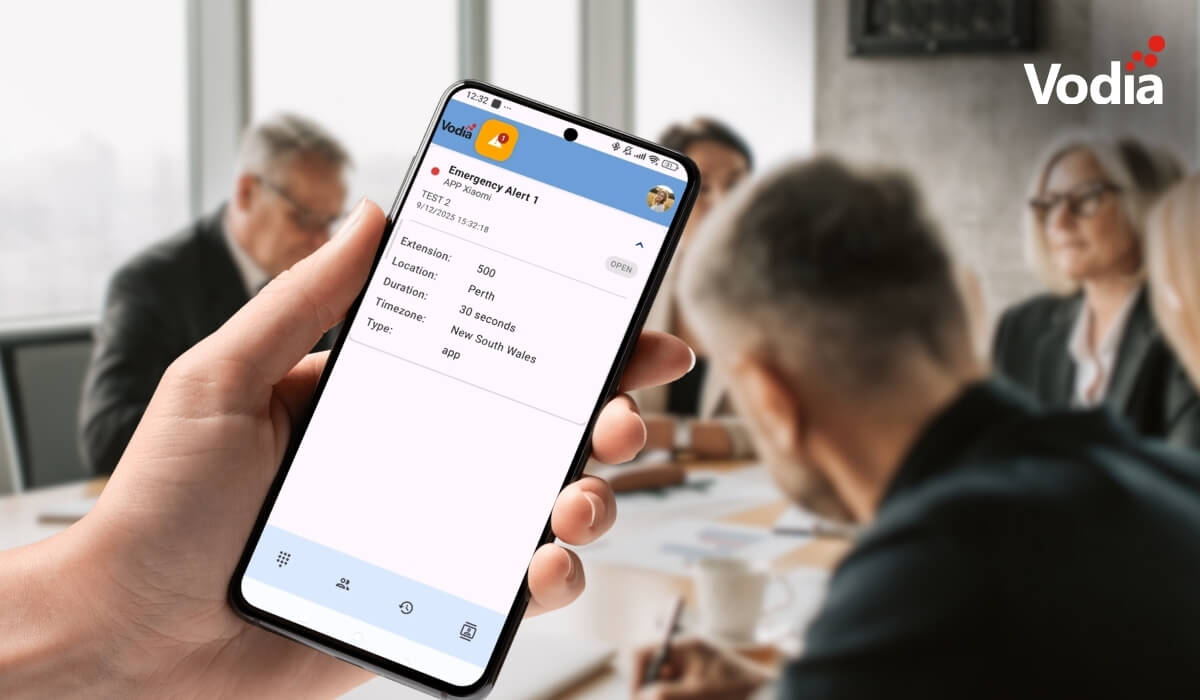
With this feature, alerts can be triggered directly by users and handled automatically by the system, ensuring the right people are notified without delay. Notifications can be delivered across multiple channels, while calls can be initiated to predefined numbers, helping teams respond quickly in time-sensitive situations.
Administrators have full control over how alerts are configured, including how they are triggered, delivered, and managed across the system, making it possible to adapt the behavior to different environments and operational needs.
Emergency alerts and notifications
The V70 emergency alerts feature enables administrators to configure alerts that users can trigger directly. Once activated, alerts can send notifications via multiple channels including desktop phones, email, mobile apps, SMS, while also automatically initiating calls to designated numbers.
Emergency alert use cases
Emergency alert events include:
- Emergency alerts
- Medical emergencies
- Active threat situations
- Fire alarms
- Facility alerts
- Equipment failures
- Environmental issues
- Maintenance requests
- Healthcare alerts
- Code blue/rapid response
- Staff assistance requests
When a user triggers an alert
Once triggered, V70 manages alert automatically:
- Immediate callback: the system initiates a call to the configured callback number
- Multi-channel notifications: alerts are sent across all enabled channels:
- desktop phones
- email notifications
- mobile app push notifications
- paging announcements
- SMS messages
- External integrations: PMS systems and webhooks receive alert data
- Auto-clear: alert remain active until cleared manually by an authorized extension or automatically based on the configured timeout
Documentation
V70 Emergency Alerts and Notifications documentation is available.
Explore V70
Emergency alerts are part of a broader set of improvements introduced in V70, including a redesigned admin interface, AI voice agents, real-time dashboards, and enhanced scalability for multi-tenant environments.
If you have questions about emergency alerts and notifications or about any other aspect of V70, please let us know. We’re excited about V70, and we’re hoping we can share our excitement with you. Contact us at sales@vodia.com or +1 (617) 861-3490.
About Vodia
Vodia Networks, Inc. provides B2B cloud communications solutions for enterprises, contact centers, and service providers. Its PBX software offers a broad range of business telephony features for on-premise and cloud deployments on Windows, Linux, and Mac. Fully SIP-compliant, Vodia integrates with numerous SIP devices and trunking providers for flexible telephony. Its multi-tenant platforms support desk phones, softphones, APIs, and third-party CRM integrations. Vodia empowers partners and users with world-class cloud PBX and personalized support to ensure success. The company operates globally, with offices in Boston, USA, and Berlin, Germany. Visit Vodia on LinkedIn, X, and YouTube.
.svg)