Vodia Wallboards: Live Queue Visibility for Every Screen
Published on:
September 30, 2026
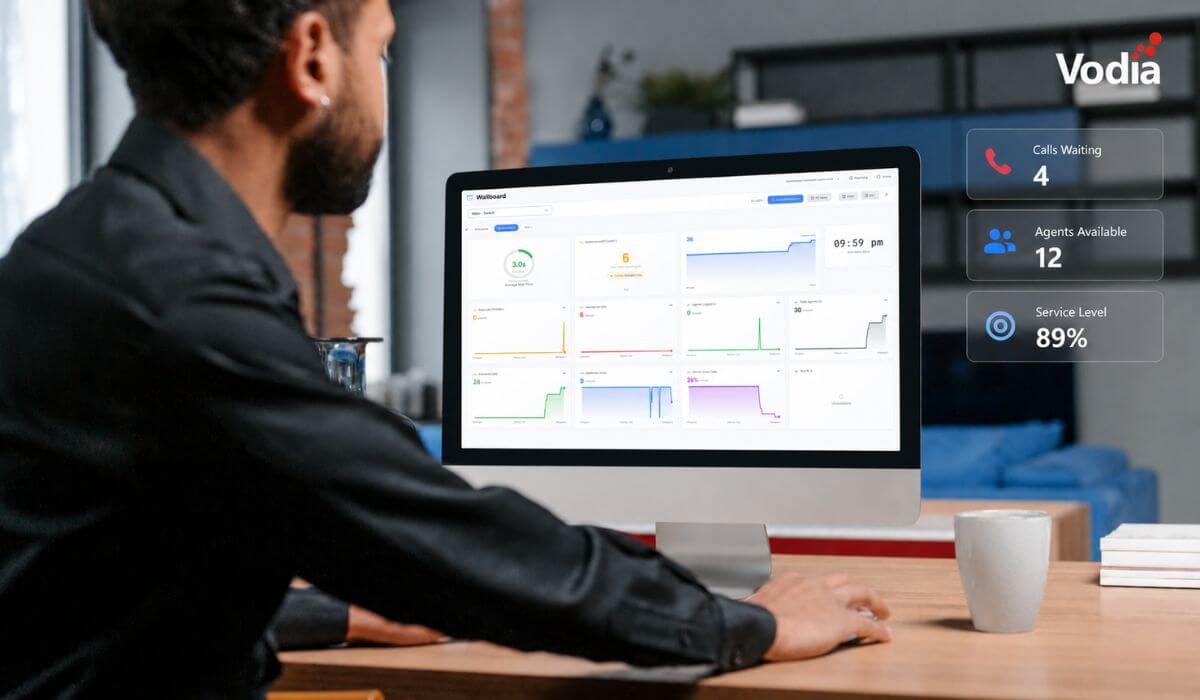
Vodia Wallboards gives supervisors, contact centers, service providers, and operations teams a self-hosted, real-time view of Vodia call queue activity. Monitor waiting, ringing, and active calls; agent availability; service levels; abandoned calls; and queue trends across one or more Vodia PBX systems. Start with a ready-made layout or build a custom wallboard using queue filters, live widgets, AI summaries, and alerts. Display the information your teams need in a browser, on an operations dashboard, or on a dedicated TV screen.
When call queues build, teams need to see them immediately, not later on in a report. Vodia Wallboards gives supervisors, contact centers, service providers, and operations teams a live view of the queue activity that matters most.
Vodia Wallboards is a self-hosted platform for monitoring and displaying Vodia call queue activity. Connect one or more Vodia PBX servers, enable monitoring for the relevant tenants, and create wallboards for a supervisor’s browser, an operations dashboard, or a dedicated TV display.
See Queue Activity as It Changes
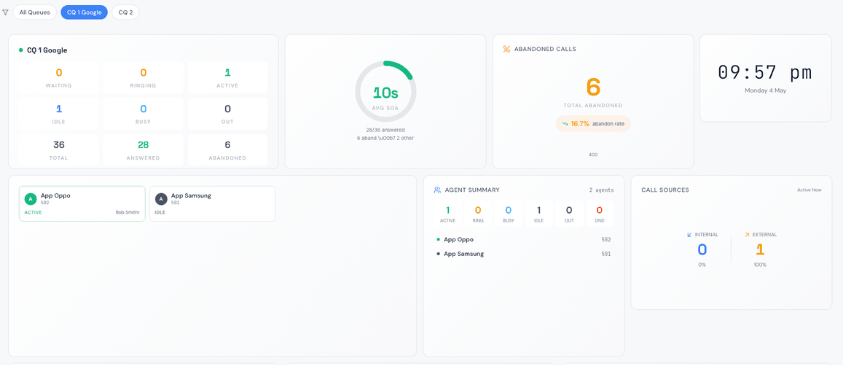
Wallboards provide a live view of calls waiting, ringing, and active; agent availability and status; inbound and outbound call counts; service levels; abandoned calls; and average speed of answer.
This is visibility built specifically around call queues. Teams can identify rising wait times, unavailable agents, or deteriorating service levels, all while there’s still time to respond.
Each widget can follow a wallboard’s queue filter or focus on a specific queue, allowing teams to move from a broad operational view to a more detailed queue view when necessary.
Start With a Layout That Fits Your Team
Vodia Wallboards includes eight ready-made layouts for common operational needs, including NOC overviews, single-queue views, executive summaries, agent monitoring, multi-queue displays, and service-level trends.
The drag-and-drop wallboard builder and library of 15 widget types make it easy to adapt a layout to the information each audience needs to see. Build a large KPI display for a shared operations screen, a detailed agent view for supervisors, or a focused wallboard for a particular queue.
Widgets include queue-status cards, agent grids, active-call lists, service-level gauges, trend charts, alert feeds, and more.
Monitor Queues Across PBX Systems
For service providers and larger deployments, one Vodia Wallboards instance can connect to multiple Vodia PBX servers. This makes it possible to display call queue activity from different customers, offices, or regions in one place, while keeping each tenant’s information appropriately scoped.
Wallboards can also be branded per tenant with a logo and accent color, helping service providers present a consistent, customer-specific view.
Turn Queue Data Into Clearer Decisions
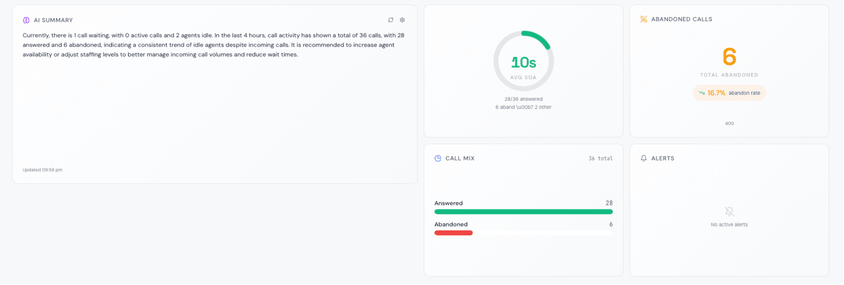
Vodia Wallboards helps teams move beyond raw metrics. AI Summary widgets can provide a plain-language assessment of current queue health using OpenAI, Claude, Gemini, or Ollama. Threshold alerts can notify teams by email when conditions such as waiting calls or abandonment rate exceed defined limits.
For dedicated displays, TV Mode publishes a wallboard as a login-free URL. The display link provides read-only access to wallboard data without exposing settings or user management.
Designed for Secure, Self-Hosted Deployment
Vodia Wallboards is self-hosted, giving organizations control over where the platform runs and how it is managed. Access can be scoped by PBX system, tenant, or individual queue. Administrator accounts use multi-factor authentication, and stored PBX credentials are encrypted at rest using AES-256-GCM.
Vodia Wallboards requires Vodia PBX v69 or later with API access enabled. For documentation on installation, configuration, widgets, display mode, and security, visit the Vodia Wallboards documentation.
Switching phone systems doesn’t have to mean rebuilding everything from scratch. The Vodia PBX migration tool imports key configuration data from backups, including extensions, ring groups, queues, desk phones, and basic auto-attendant settings. Built into the Vodia Admin Portal, it guides administrators through the import process and reduces repetitive manual work, whether you’re moving 10 extensions or 1,000. Explore what transfers, what needs manual setup, and how the built-in tool reduces repetitive work when moving to Vodia.
Apps have changed how businesses communicate and work, but every digital experience still depends on physical hardware. From smartphones, desk phones, and headsets to networking equipment and cloud servers, reliable infrastructure supports productivity, security, and call quality. Here’s why hardware still matters in an app-first world and what businesses should consider when choosing dependable devices and secure connectivity for the office, hybrid teams, and remote work, while preparing for evolving technology.
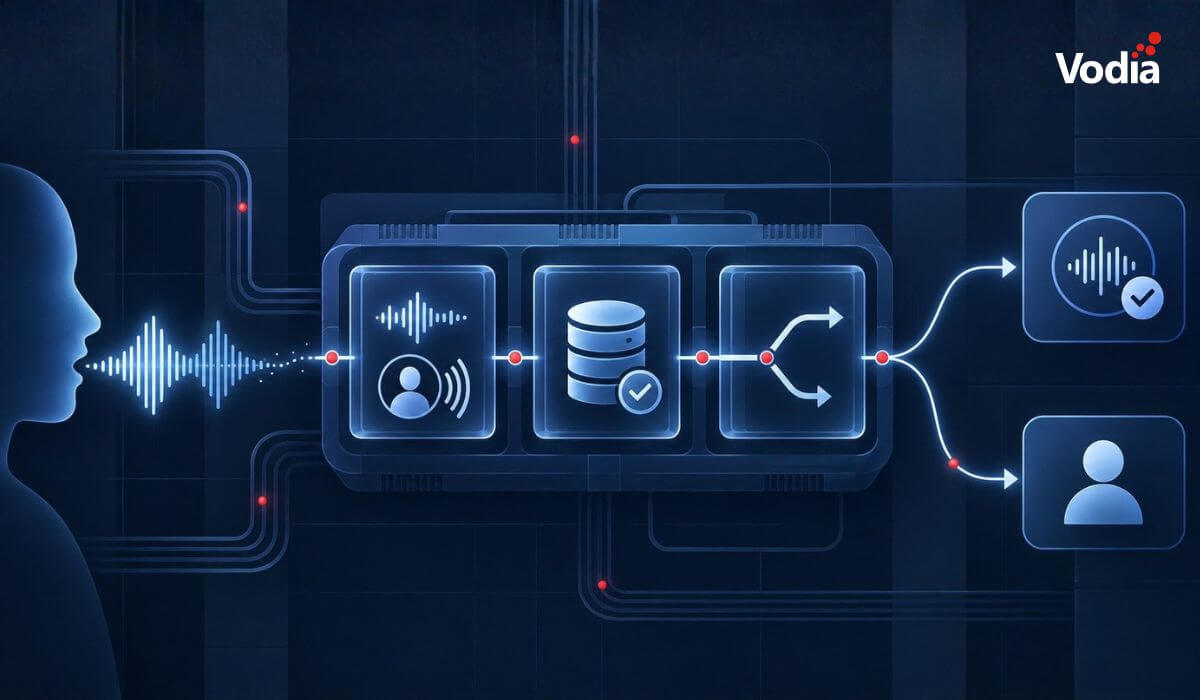
AI-powered calling gives businesses new ways to manage conversations, improve availability, and respond to callers more efficiently. It also introduces important questions about transparency, consent, privacy, data handling, and accountability. Organizations need clearly defined boundaries for what a Voice Agent may answer, which systems it can access, and when identity verification or human assistance is required. A thoughtful deployment balances automation with appropriate safeguards, helping businesses use conversational AI confidently while protecting callers and maintaining trust.
.svg)