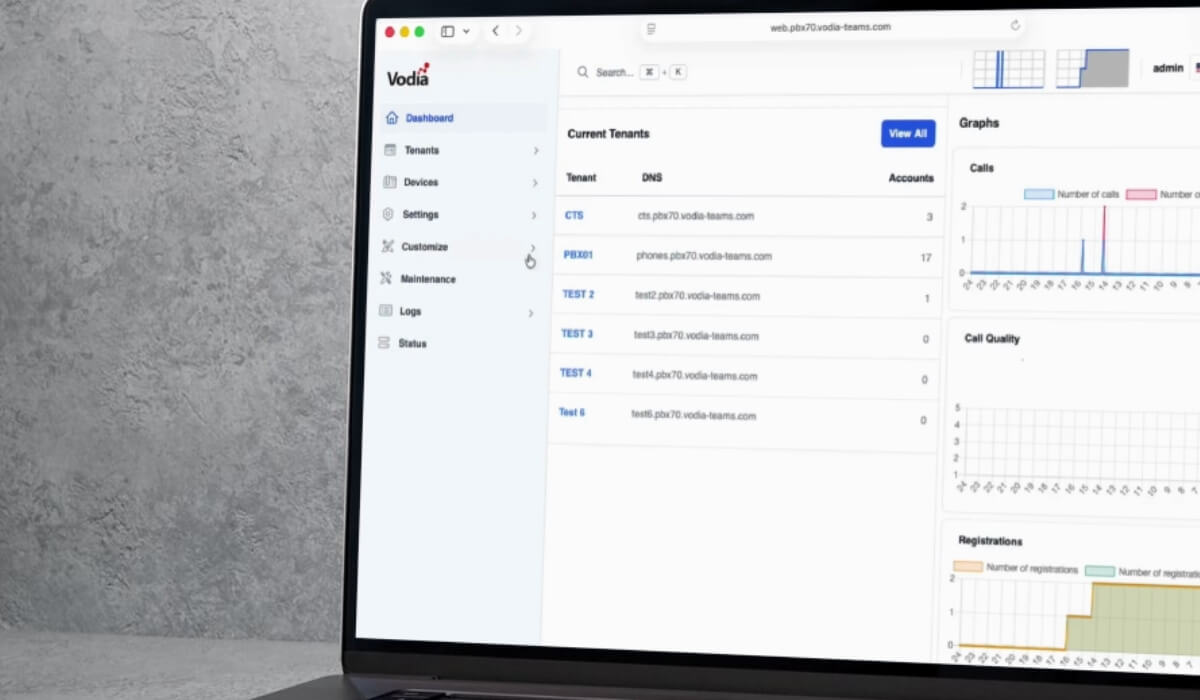
Vodia’s industry-standard PBX is a multi-tenant phone system that provides users with precise management control settings and robust, secure Voice over Internet Protocol (VoIP) communication. Designed for the cloud, the feature-rich Vodia PBX enables managed service providers (MSPs) to manage all of their customers per domain on a single instance.
What Is Multi-Tenant?
With a single-tenant arrangement, each tenant gets a proprietary instance of an application, of its database, and of its supporting infrastructure. With a multi-tenant configuration, a single instance of a phone system - and its database and hardware - is available to multiple tenants (user accounts). In most cases, though a tenant can be an individual user, multi-tenant supports an aggregate of users, such as a corporation or other type of organization: this group shares access and privileges within the instance, with each user’s activity and data isolated from other tenants.
Beyond phone systems, multitenancy, in a software context, is the architecture used to deliver Software-as-a-Service (SaaS). HubSpot, salesforce, or Zoho are all cloud SaaS providers and multi-tenant offerings. Most companies offering cloud services provide the majority of their offerings via a multi-tenant model (with the exclusion of dedicated hosting).
Why Should MSPs Consider Multi-Tenancy?
Multi-tenancy permits MSPs to provide comprehensive IT services cost-effectively, efficiently, and at scale. With a multi-tenant setup, an MSP can leverage a single infrastructure layer or platform to provide services simultaneously to all of its customers; each customer is contained within a discrete silo to make sure access privileges, configurations, and data remain entirely separated.
Thanks to shared infrastructure, multi-tenancy gives MSPs and their customers significant financial and operating efficiencies by reducing energy consumption, hardware procurement, and maintenance costs - it also gives MSPs the ability to administrate systems for multiple clients at the same time. Finally, multi-tenant systems enable the strategic allocation of resources, which means an MSP can complete updates and install security patches across the entire tenancy without disrupting customer operations, manage capacity per client on an as-needed basis, and onboard faster.
What Are the Specific Benefits of Multi-Tenancy?
Multi-tenancy offers significant benefits to MSPs and their customers, including:
- Cost Effectiveness: Multi-tenancy enables MSPs to manage numerous tenants from a single instance within a single infrastructure, so costs are disbursed
- Lower Costs: Because the software provider can serve multiple tenants from a single application instance and supporting infrastructure, pricing for each tenant is cheaper than a single-tenant setup, as the costs of data center operations, infrastructure, and software maintenance are shared across tenants. Fees are usually monthly or annual and are calculated based on the data volumes managed within the application, the number of users, or the overall usage.
- Customization: Multi-tenancy setups can be configured so each tenant can enjoy a bespoke application specific to its operations - without custom development.
- Maintenance and Updates: The multi-tenant provider (the MSP) undertakes all updates and patches for all tenants. Features can be added, and fixes can be applied without customer involvement (and only once).
- Scalability: Each tenant enjoys on-demand scaling, with new users granted access to the same software instance.
Why Vodia?
The Vodia multi-tenant phone system is a best-in-class business communication platform designed for MSPs looking for a feature-rich, robust, scalable, secure PBX. It’s the perfect solution for SMBs. The Vodia phone system gives your customers a full suite of call center features, integration with Microsoft Teams, and compatibility with the world’s best business software, devices, and SIP Trunks.
We recently announced a preview of version 70 of the Vodia PBX, which we will officially release in early 2026. We continue to adapt and innovate at every turn.
Whether you’re providing your customers with support for their AI strategies, an automation initiative, or increased cybersecurity, Vodia is the telecommunications industry’s preeminent multi-tenant platform and a robust, scalable backbone for your customers’ unified communications. And for the growth of your business. Find out what we can do for your MSP. Get in touch: sales@vodia.com, or call +1 (617) 861-3490 (United States), +61 2 7201 0788 (APAC), or +49 30 555 78749 (Europe).
.svg)