The Vodia Call Recordings and Transcription Dashboard
Published on:
September 25, 2025
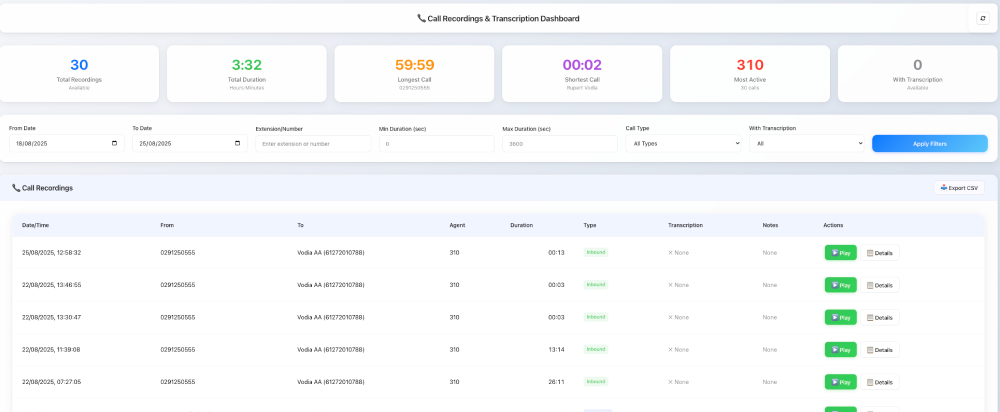
The Vodia Call Recordings and Transcription Dashboard is a modern, powerful tool for businesses to manage and analyze call activity efficiently. Its sleek interface provides a widescreen view of key call metrics including average call length, calls per day, and ongoing calls in real time. With filtering, analytics, transcription, and export options, users can easily access, playback, and share recordings. Designed for industries requiring call recording for legal compliance such as healthcare, government, and utilities, it ensures secure storage, encrypted sharing, and more. Combining robust functionality with a user-friendly design, it helps businesses improve customer service, monitor staff performance, resolve disputes, and gain insights.
The Vodia Call Recordings and Transcription Dashboard is a modern, comprehensive interface for managing call recordings with built-in transcription support - it provides advanced filtering, analytics, and playback capabilities with a sleek glass-morphism design. The dashboard gives users a widescreen view of call activity, including average call length, calls per day, and current ongoing calls; it also displays charts of last 30 days calls per day and real-time active calls. This is a new addition to the Vodia comprehensive feature suite.
Why Call Recording?
The Vodia phone system is the perfect solution for companies that must record calls for legal compliance, including companies in banking and finance, emergency services, government agencies, healthcare companies, law firms, and utilities.
In banking and finance, companies are required to record incoming and outgoing calls: these recordings are saved to check agent compliance, settle disputes, and to verify privacy notices and services. Healthcare providers record patient calls for agent training and quality assurance, as do utility companies.
Call Recording vs. Call Monitoring/Call Tracking
Call monitoring enables supervisors to listen to employee calls in real time, while call tracking is used by companies to determine how callers found the company. Call tracking is also used to gauge the effectiveness of marketing initiatives, such as Google AdWords.
Legal Protection
Call recordings are often the first line of defense for a business in dispute resolution, and a secure recording of a disputed interaction with a customer can often keep a customer from taking legal action:
file encryption makes calls shareable while remaining in compliance
a record of incoming phone numbers linked to call recordings provides valuable information in the midst of a dispute.
secure storage plan for call recordings saves companies money
the timestamp made by a call recorder application can prove if an issue was responded to in a timely manner
Vodia Call Recordings and Transcription Dashboard - Key Features
The Vodia Call Recordings and Transcription Dashboard can be launched via the navigation or custom home screen. Summary analytics can be found in the top cards; the default range is seven days, but this can be customized as needed. Key features of the dashboard include:
For over two decades, Vodia has been developing the features and tools enterprises and SMBs in every industry need to build robust, scalable, secure communication ecosystems for better customer service, better staff collaboration, increased productivity, profitability and, ultimately, growth. Find out everything we can do for your business - email us at sales@vodia.com, or call +1 (617) 861-3490 (United States), +61 2 7201 0788 (APAC), or +49 30 555 78749 (Europe).
Switching phone systems doesn’t have to mean rebuilding everything from scratch. The Vodia PBX migration tool imports key configuration data from backups, including extensions, ring groups, queues, desk phones, and basic auto-attendant settings. Built into the Vodia Admin Portal, it guides administrators through the import process and reduces repetitive manual work, whether you’re moving 10 extensions or 1,000. Explore what transfers, what needs manual setup, and how the built-in tool reduces repetitive work when moving to Vodia.
Apps have changed how businesses communicate and work, but every digital experience still depends on physical hardware. From smartphones, desk phones, and headsets to networking equipment and cloud servers, reliable infrastructure supports productivity, security, and call quality. Here’s why hardware still matters in an app-first world and what businesses should consider when choosing dependable devices and secure connectivity for the office, hybrid teams, and remote work, while preparing for evolving technology.
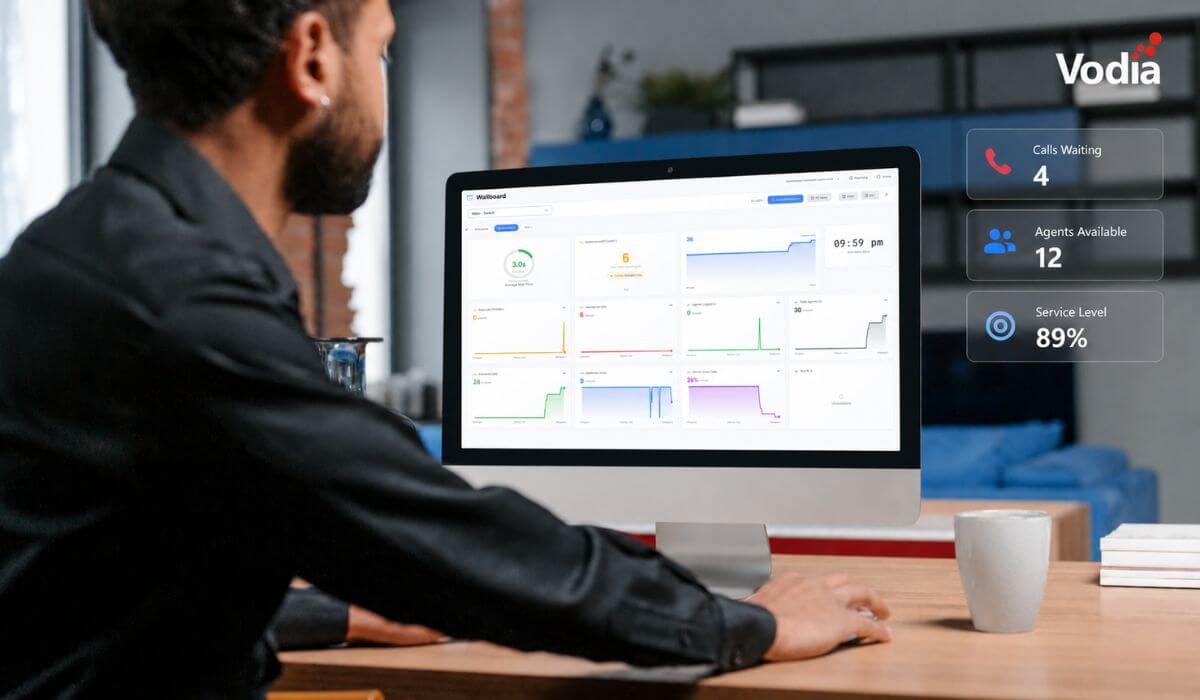
Vodia Wallboards gives supervisors, contact centers, service providers, and operations teams a self-hosted, real-time view of Vodia call queue activity. Monitor waiting, ringing, and active calls; agent availability; service levels; abandoned calls; and queue trends across one or more Vodia PBX systems. Start with a ready-made layout or build a custom wallboard using queue filters, live widgets, AI summaries, and alerts. Display the information your teams need in a browser, on an operations dashboard, or on a dedicated TV screen.
.svg)