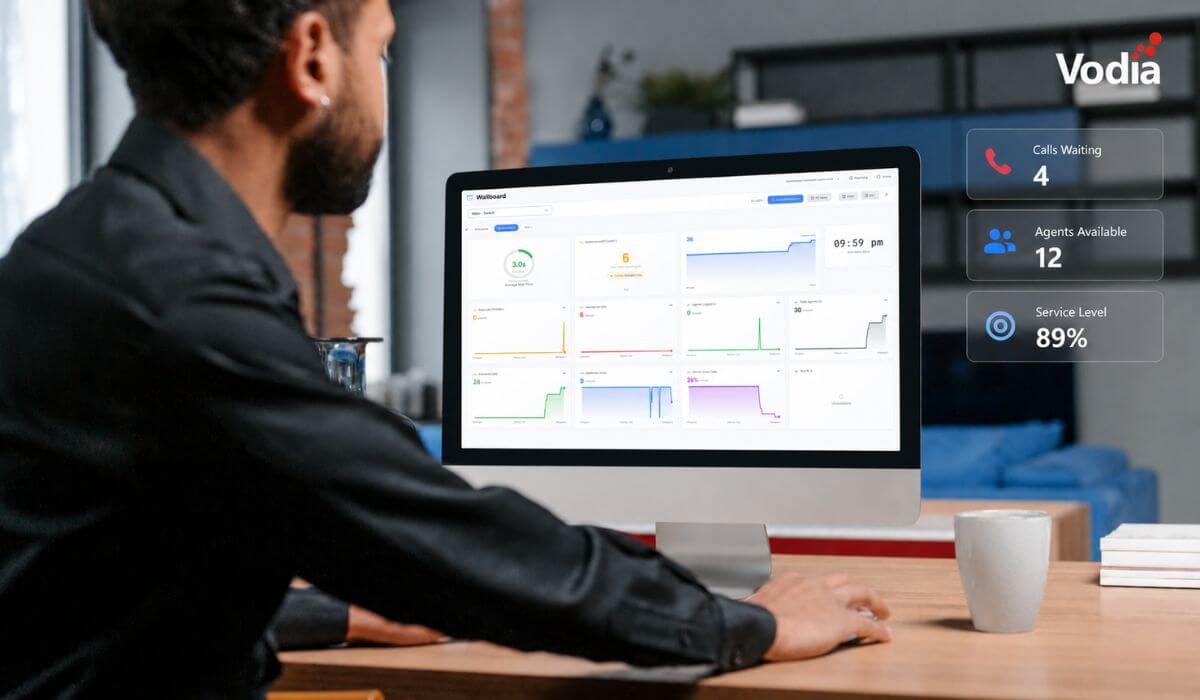
Since our company’s inception, we have empowered and supported numerous businesses worldwide, both small and large, by providing these organizations with our best-in-class cloud and on-premises IP PBX technology. The Vodia PBX comprises the most complete suite of robust business telephony features for on-premises and cloud-based telephony, including auto attendant, SMS, paging, separation of personal and work calls, conference calls, call recording, CRM integration and Microsoft Teams integration. Here’s a comprehensive list of features:
CORE VODIA FEATURES
- Extension
- Import/Export and accounts via CSV
- SIP Trunk/Gateway Support
- Mobility-Android App
- Vodia App Windows Client
- Call Routing by DID & CID (DDI)
- Extensive Codec Support
- Receive Voicemail via email
- Calling Line Identification Presentation (CLIP)
- Call Transfer (Blind & Attended)
- Calling Line Identification Restriction (CLIR)
- Call Forward on No Answer
- Hold, including Custom Music on Hold
- Intercom/Paging
- Call Parking/Pickup
- Busy Lamp Field (BLF)
- Real-Time Graph Status
- Easy Backup and Restore (including Scheduled Backup)
- VMware/Hyper-V
- TLS, TCP, UDP
- On Windows/Linux, Virtualized On-Premises or Cloud
- AWS, Google Cloud, Microsoft Azure
- Vodia SBC Connectivity
- Custom SMTP Server
- Button Mapping
- Caller-ID Emergency calls
- CO-line Emulation
- Custom Greetings
- Dial-by-name directory
- Tenant Address Book (Global and personal)
- EPID Callback
- Google API login
- Predefined trunk providers
- WebRTC
- SMS messaging
- Software update (upgrade or downgrade)
- Near and far end NAT Traversal
VODIA OFFICE PRODUCTIVITY
- Instant Messaging/Text Chat (User interface)
- User presence (BLF Phone, User interface)
- Auto Attendant/Digital Receptionist
- Ring Extension & Mobile Simultaneously
- Integrated Fax Server (Fax to Email)
- Supported SIP Phones Integration
- Easy Management of IP Phones & Softphones
- Automatic Plug & Play Phone Provisioning
- Vodia Apps: WebRTC Client, Android, Windows
- Audio Bridge
- Directory (Company & Private Phonebook)
- Sync with Office 365 (Users’ Phonebook)
- Call Query against DB & CRM
- Web Conference Dial-In
- Plug and Play with IP Phones, Gateways & SIP Trunks
- Automatic phone detection
- Automatic redirection
- Caller-ID presentation
- Hunt group distinctive ring
- Missed calls with Email Notification
- Call cell phone when new message arrives
- Call supervisor when VM message isn’t retrieved
- Mailbox escape account (Redirect to Digital Receptionist)
- Offer calling cell phone when entering user’s mailbox
- Custom Ringback
- Star Code parameters
VODIA CALL CENTER FEATURES
- Live Call Logging
- Click2Call (Google Browser Extension)
- Call Queue Group Rights Management
- CRM Integration (Sales Force, Zoho, Nutshell)
- Call Queuing
- Real Time Statistics & Monitoring
- Supervisor Agent Status Override
- SLA Alerting
- Agent Group Wallboard
- Callback option
- Call & Queue Reporting
- Call Recording
- Barge In/Listen In/Whisper
- ACD Call Rating
- Outbound calling campaign
- ACD distinctive ring
- ACD Login features
- ACD Agent group identification
- Anonymous call redirect
- ACD Caller-ID display
- ACD Email summary
- Outbound call list
- On-hold messaging
- Pre-Recorded announcements
- Queue call limit
- Group Messaging
- Manage agent groups (Queue Manager)
- Timeout redirection
- Call Recording Restrictions (Start/Stop)
VODIA ENTERPRISE FEATURES
- Connect Remote Offices (Bridges)
- Built-in Redundancy (Hosted license)
- Hotel PBX Features (incl. Fidelio Certified)
- Multiple Domains (Hosted License)
- Monthly billing (FreshBooks, Stripe) (Hosted License)
- RPS (Remote Provisioning Server) Yealink, snom, Fanvil, Htek, Grandstream (Hosted license)
- Zoiper Automatic provisioning (Hosted license)
- Counterpath Automatic provisioning (Hosted license)
- Voicemail Transcription (Google API) (Hosted license)
- Automatic Recording
- DNS Made Easy API
- Lets Encrypt API
- Telios CNAM
- SMS
SUPPORTED OPERATING SYSTEMS
The award-winning Vodia PBX software turns any mobile phone, laptop, tablet or PC into a VoIP client employees can use for their everyday communication needs, from anywhere, anytime. Our proprietary, built-from-the-ground-up PBX offers true cloud multi-tenancy, integrations with MS Teams, FreshBooks, Zoho, HubSpot and Salesforce, SMS, and Android and IOS mobile apps. If you’re looking for an integrated telephony and Wi-Fi solution for your organization, Vodia makes it possible to work from anywhere and keep your team seamlessly connected and collaborating, today and tomorrow. We’d be delighted to put you in touch with one of our outstanding resellers. Contact us, sales@vodia.com.
.svg)